Clean up
It will take a bit time to finish the cleanup
Cleanup Route 53.
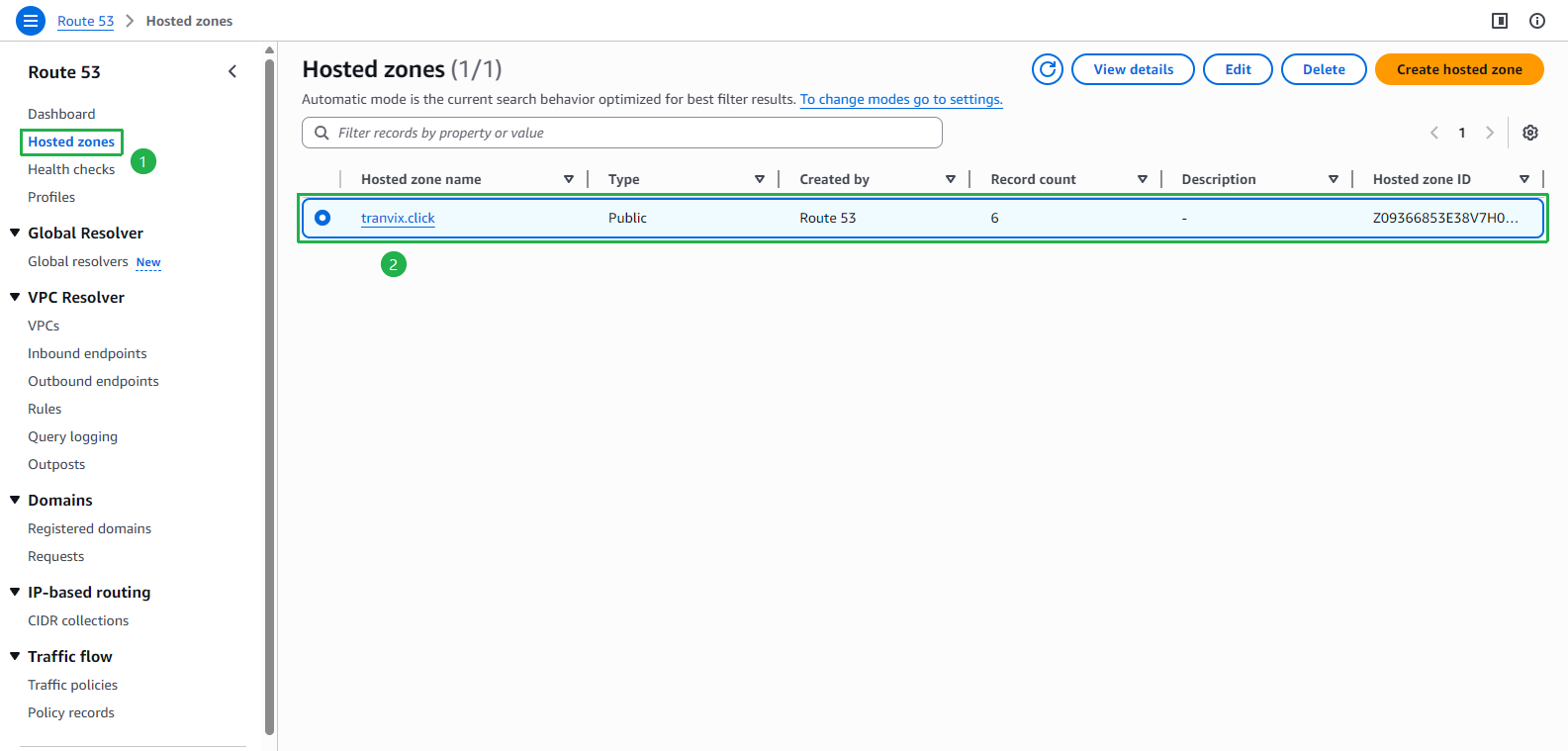
- Open AWS Route 53 console.
- Click Hosted zones on the left menu.
- Choose your Hosted zone.
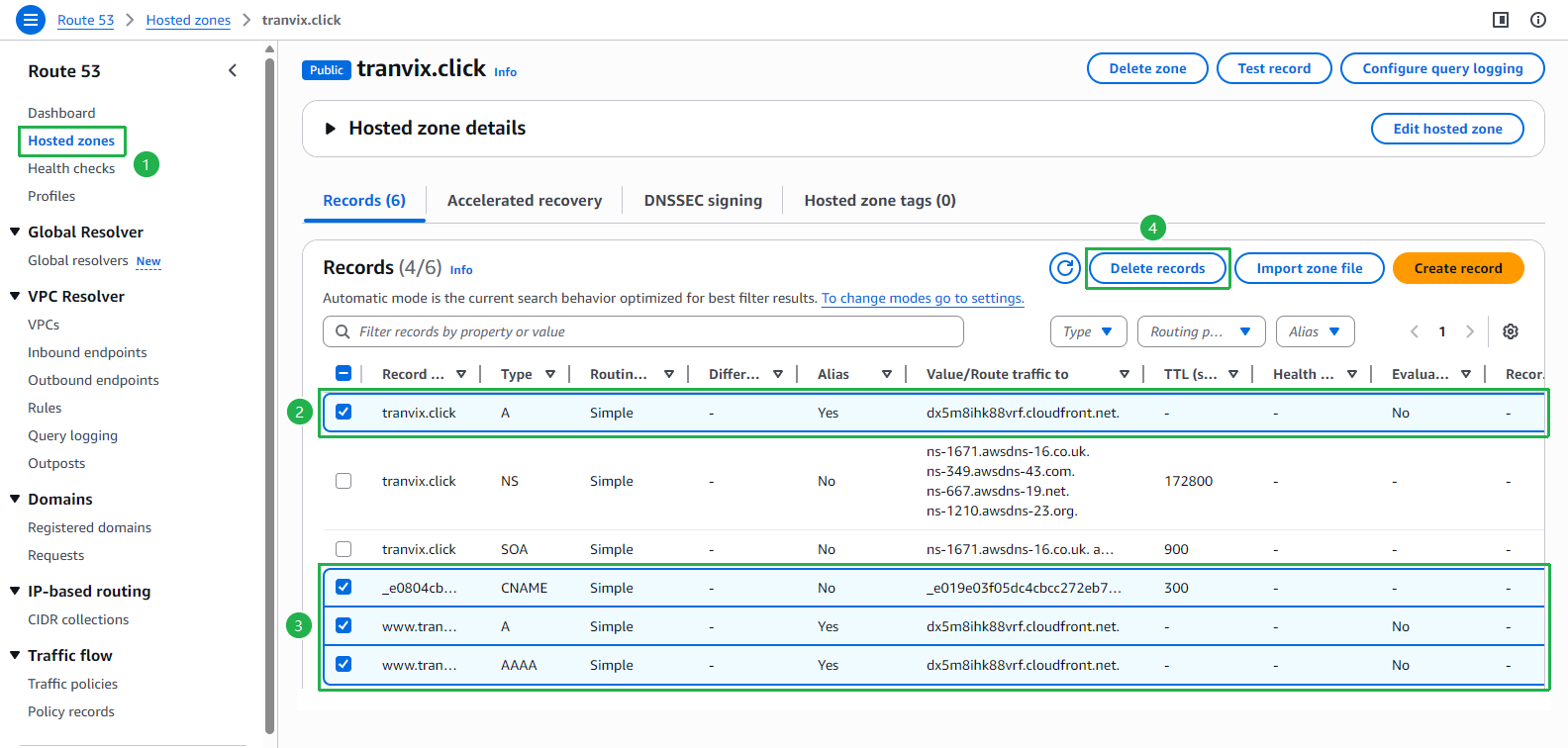
- Select all records except the NS and SOA records.
- Click Delete records button.
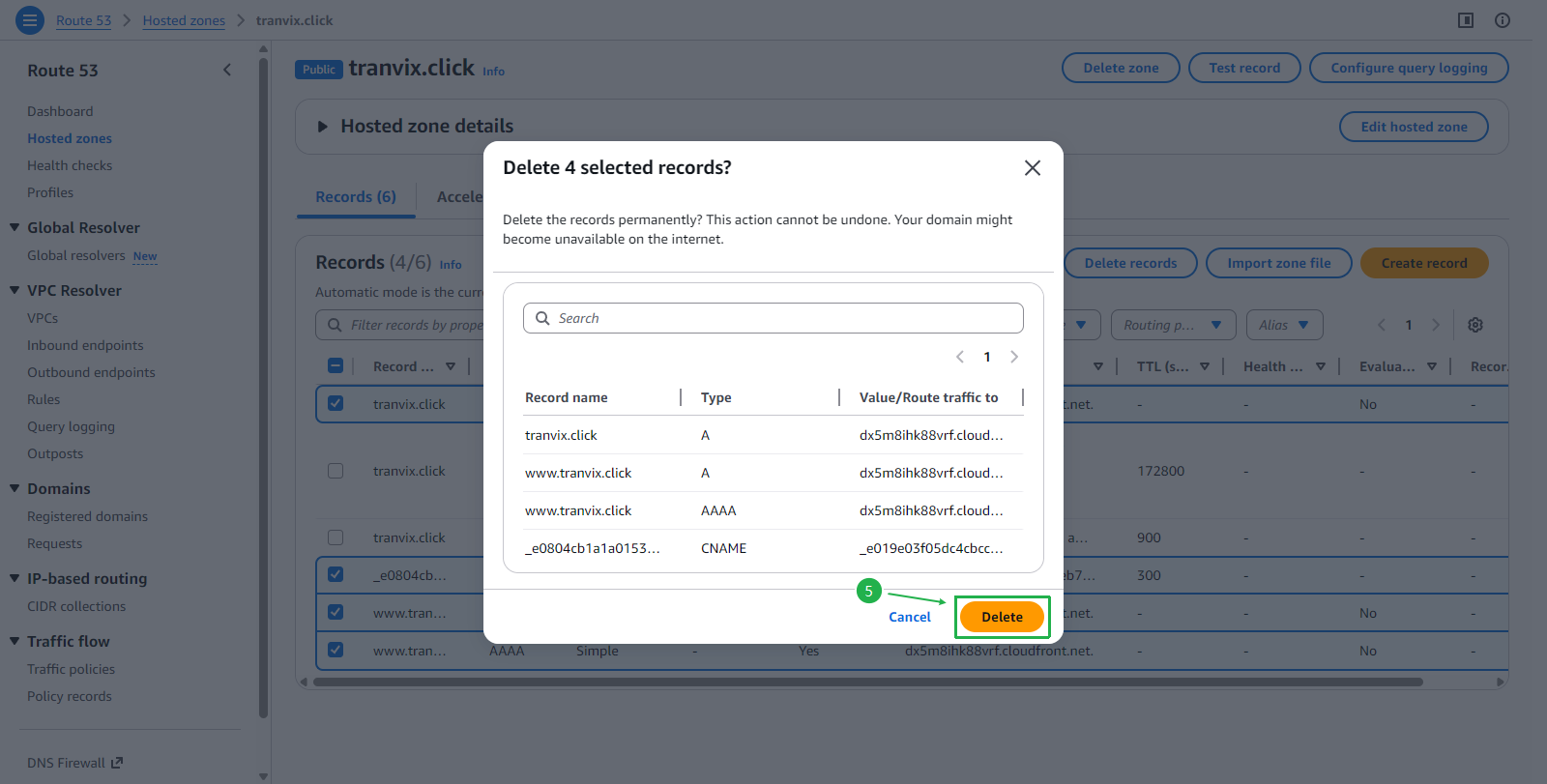
- Click Delete button to confirm.
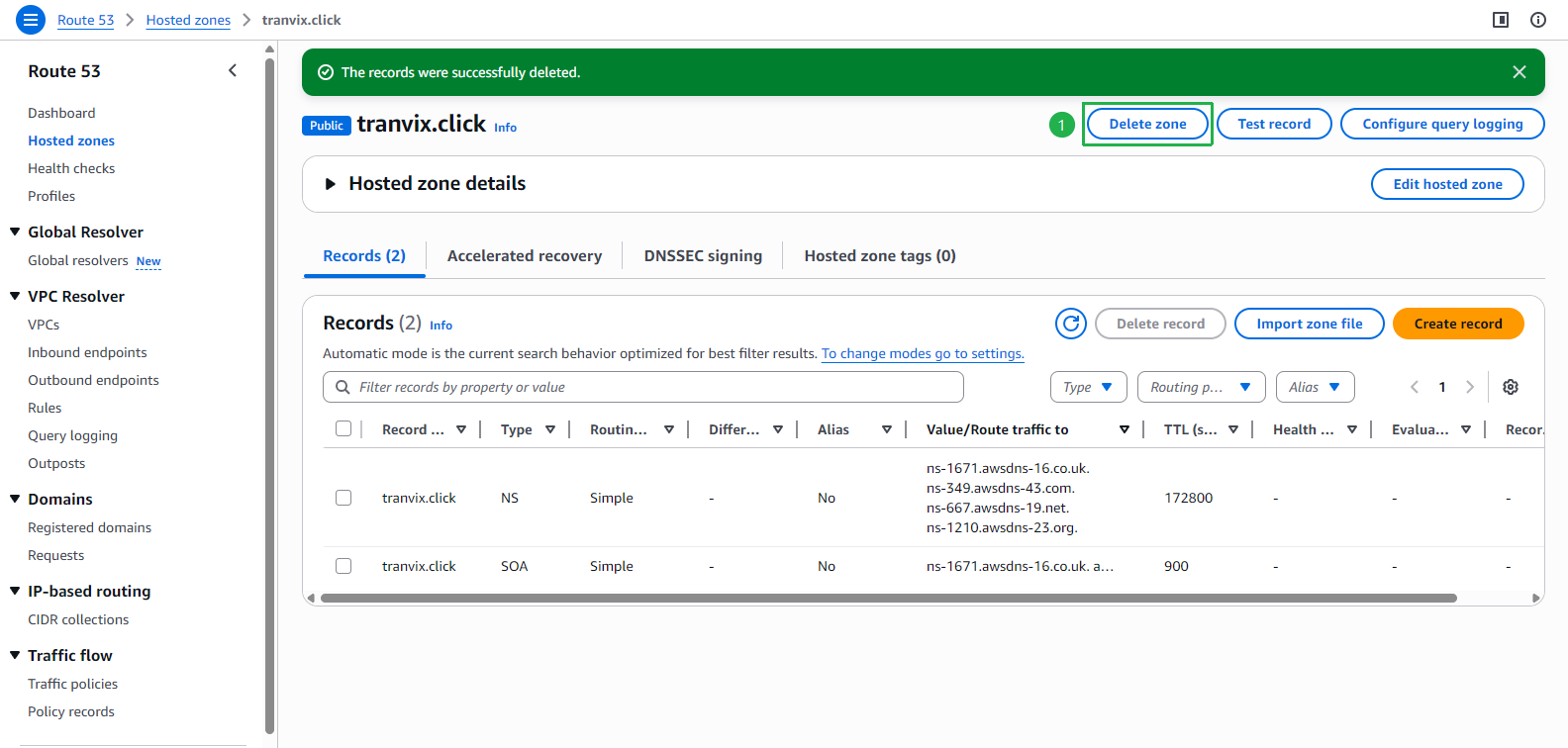
- After the records are deleted, click Delete zone button.
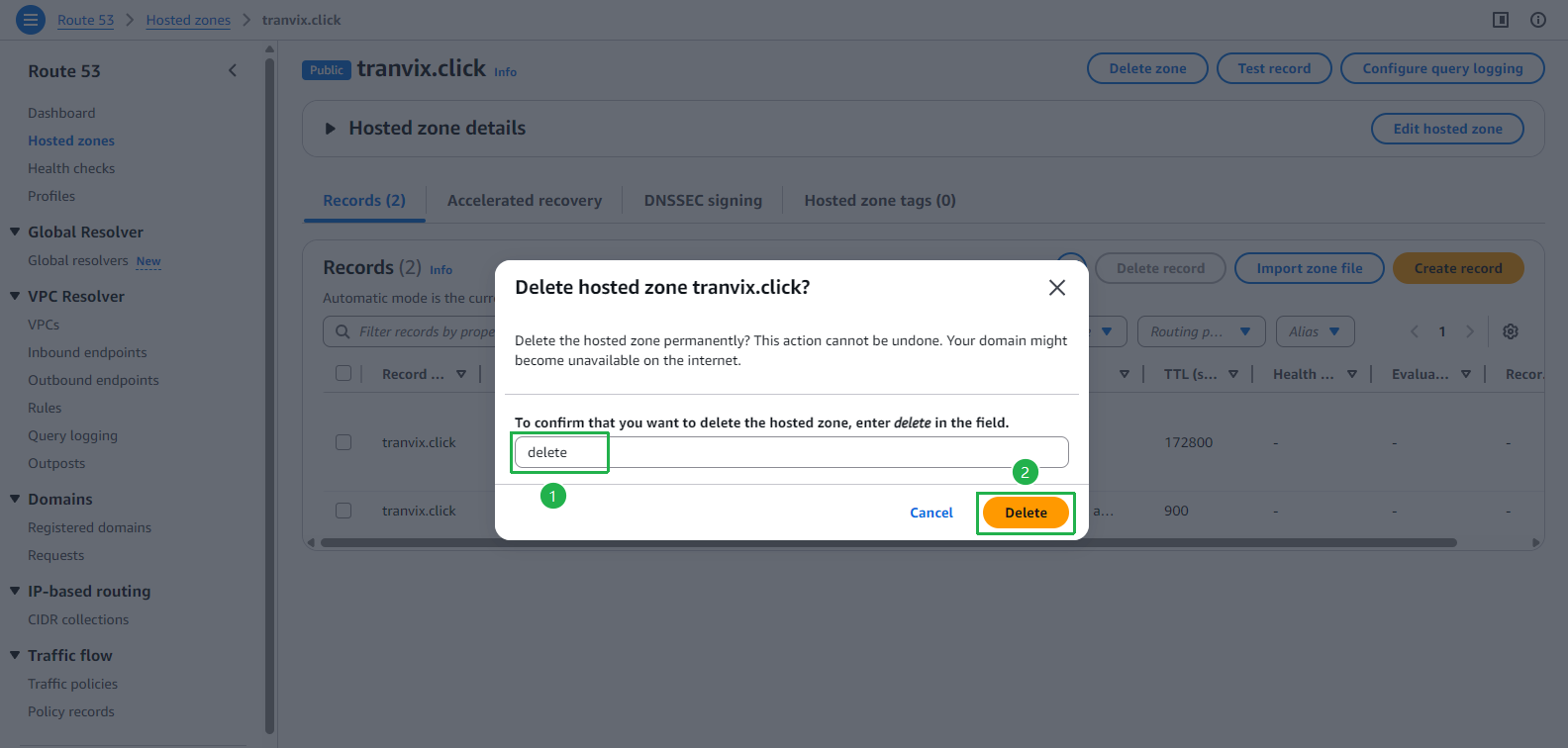
- Enter
deleteto confirm. - Click Delete button.
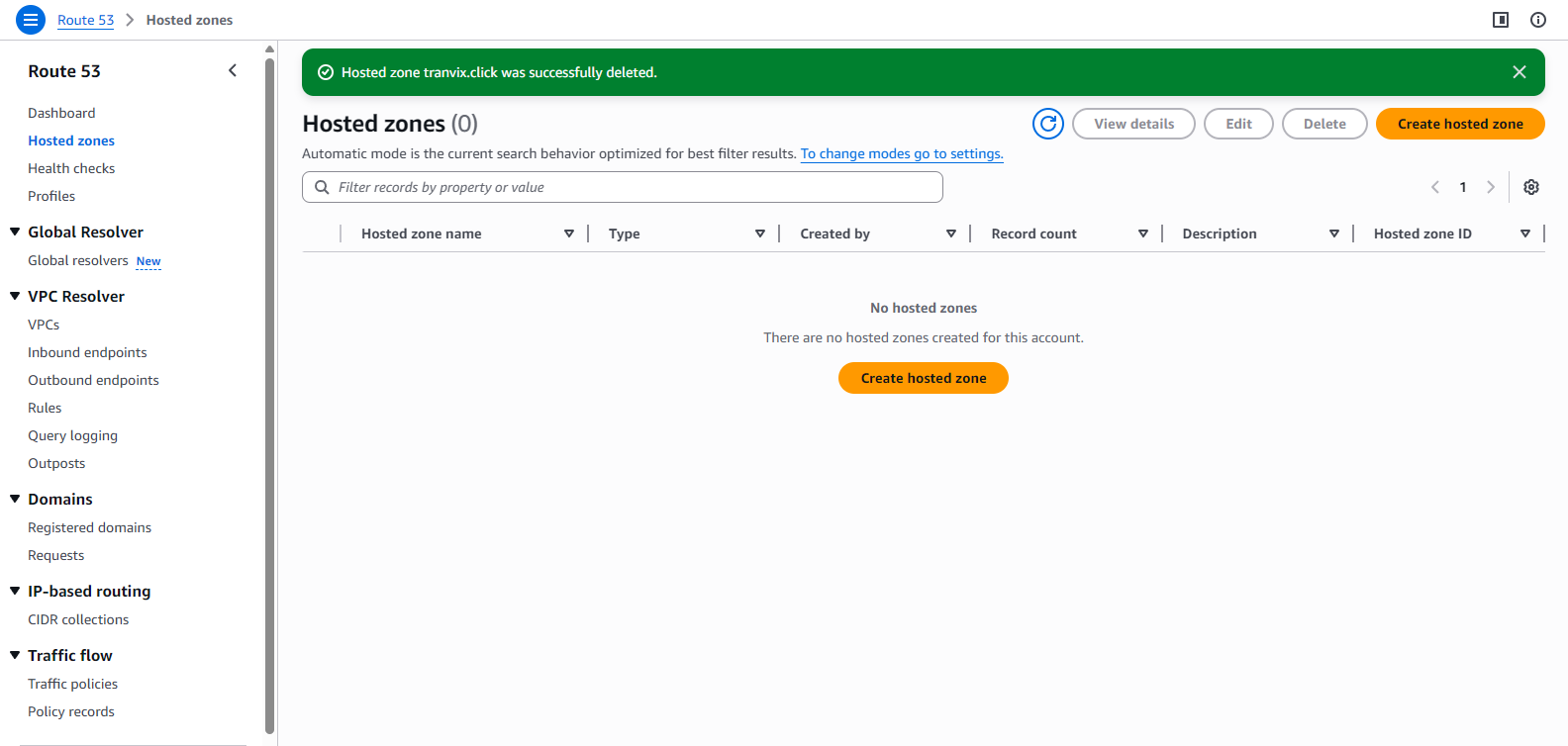
- The hosted zone is deleted successfully.
Delete CloudFormation stacks.
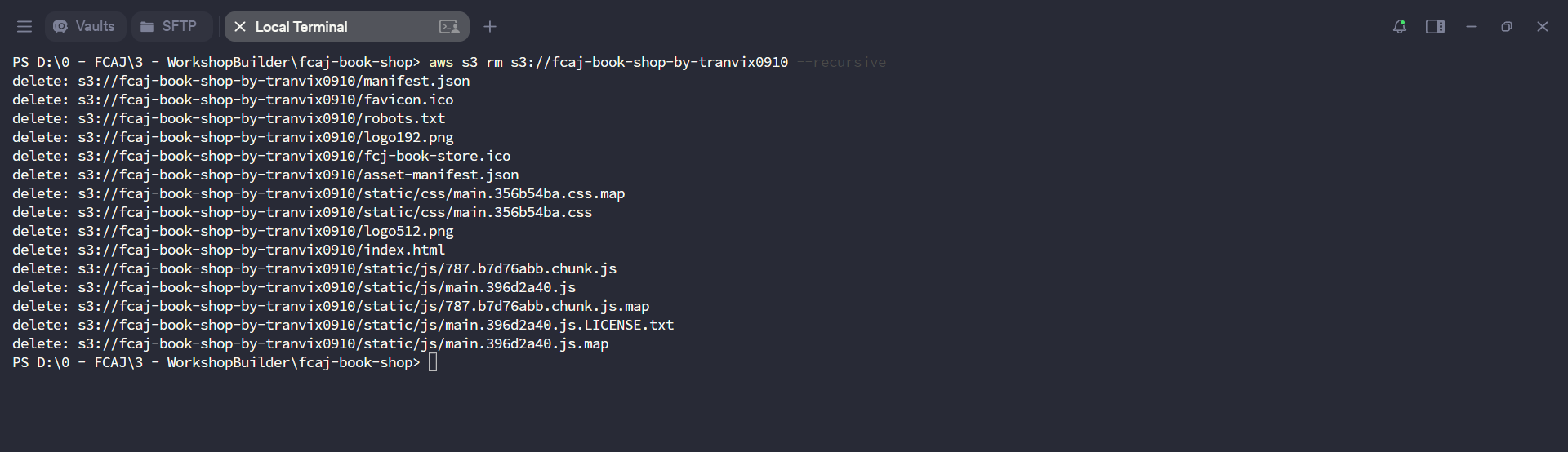
Before deleting the CloudFormation stacks, make sure to **empty all S3 buckets** related to this workshop first. CloudFormation cannot delete non-empty S3 buckets.First, empty the S3 buckets related to this workshop.
Execute the below command to delete the AWS SAM application.
sam delete --stack-name fcaj-book-store
sam delete --stack-name aws-sam-cli-managed-default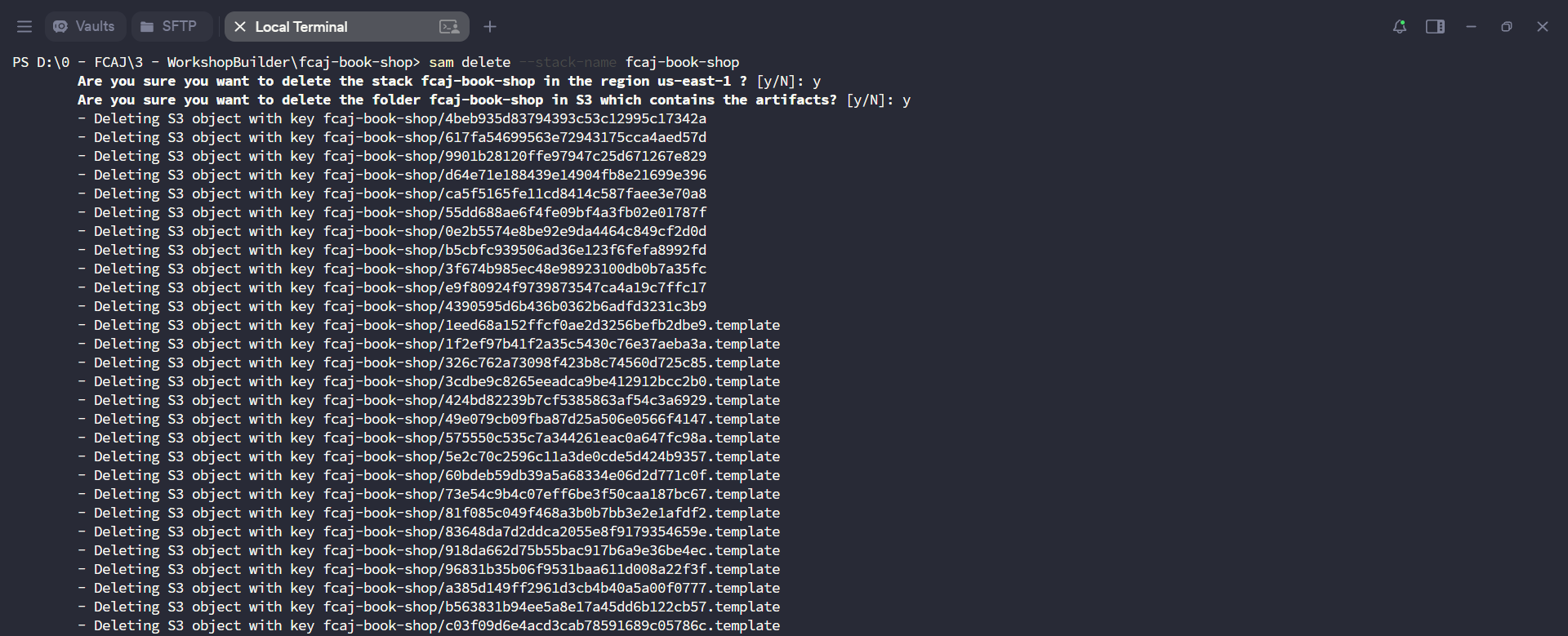
If you have issues when deleting with command. Open AWS Cloudformation console. Then, delete all stacks related to this workshop.
Cleanup SQS.
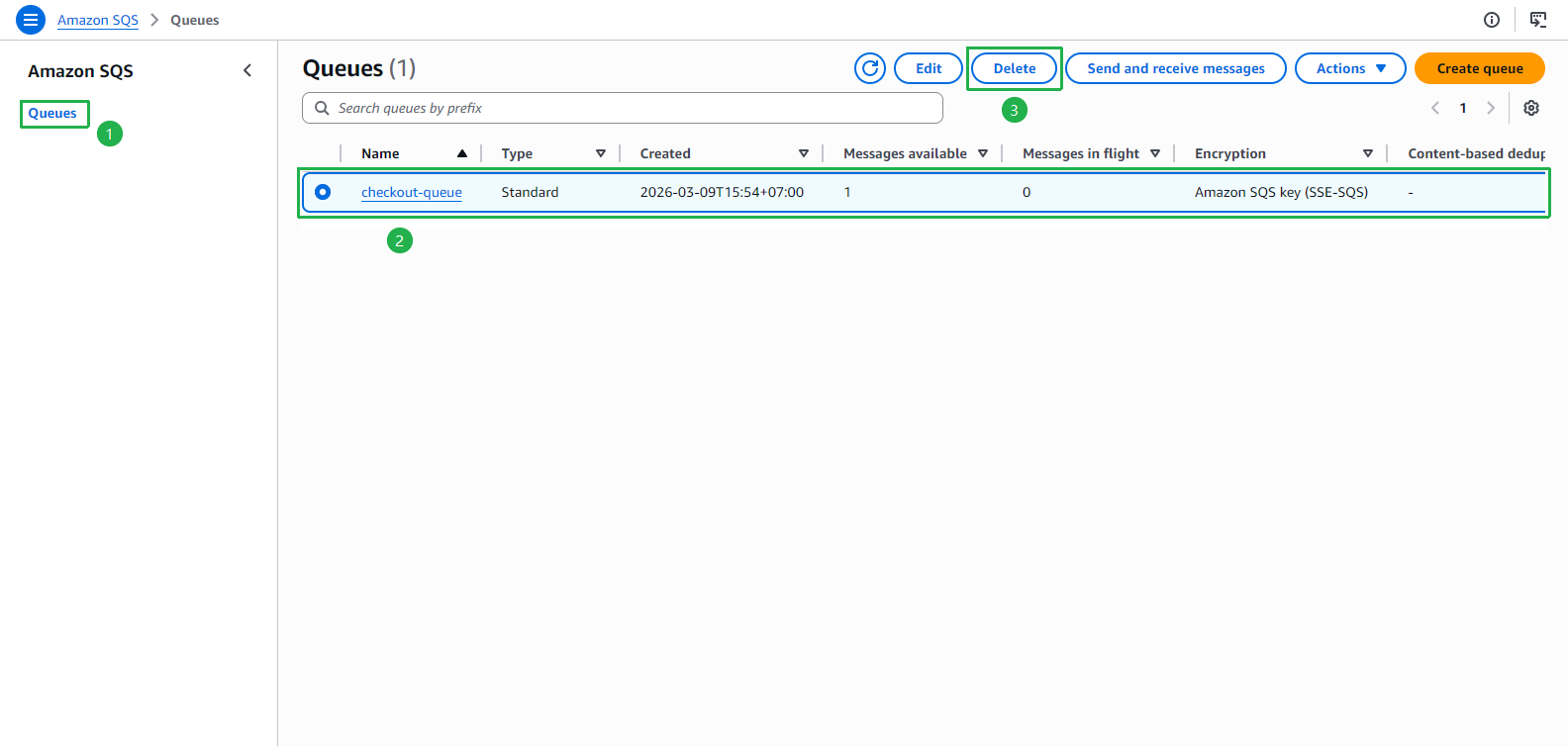
- Open Amazon SQS console.
- Click Queues on the left menu.
- Choose checkout-queue.
- Click Delete button.
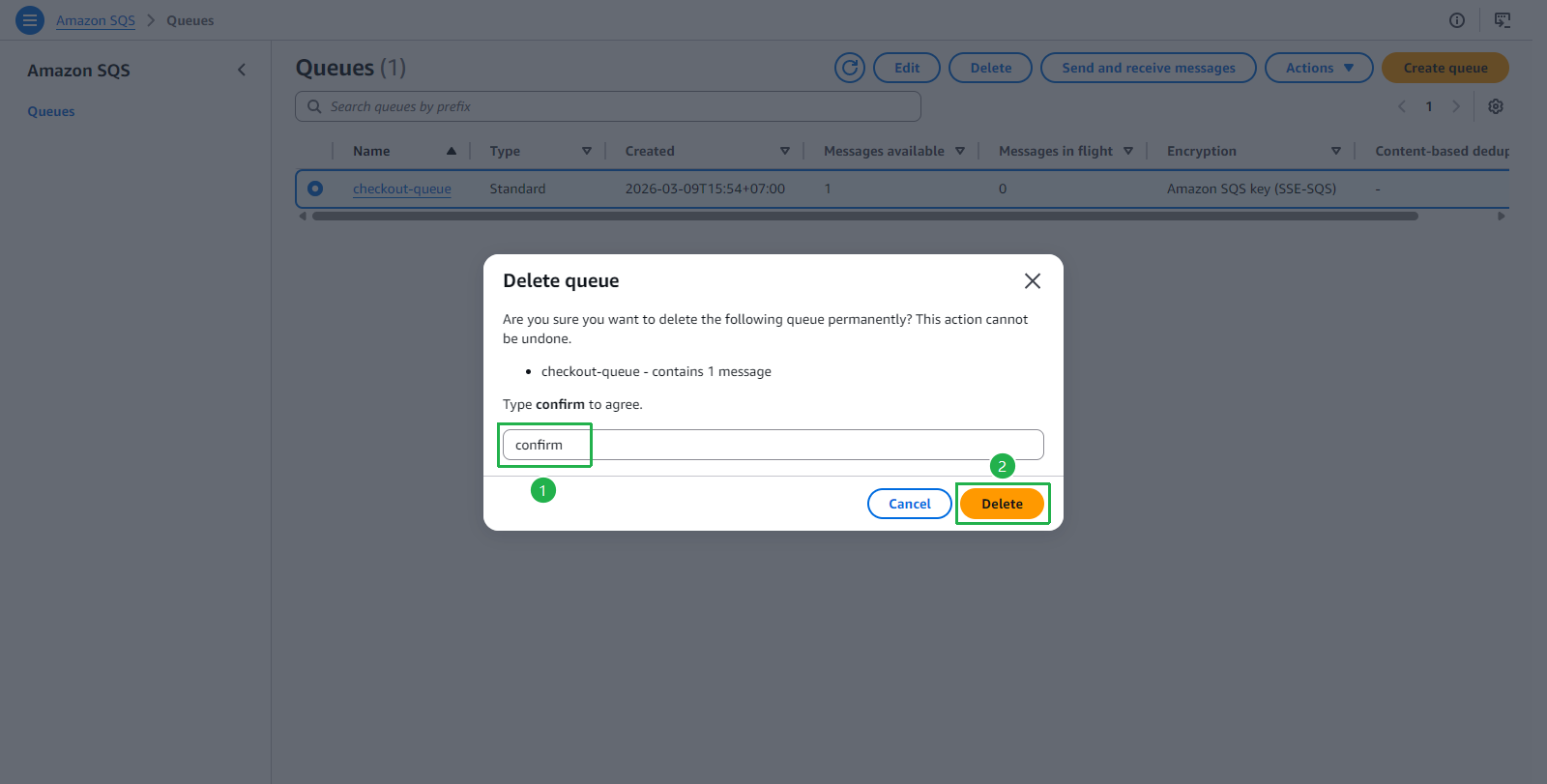
- Enter
confirm. - Click Delete button.
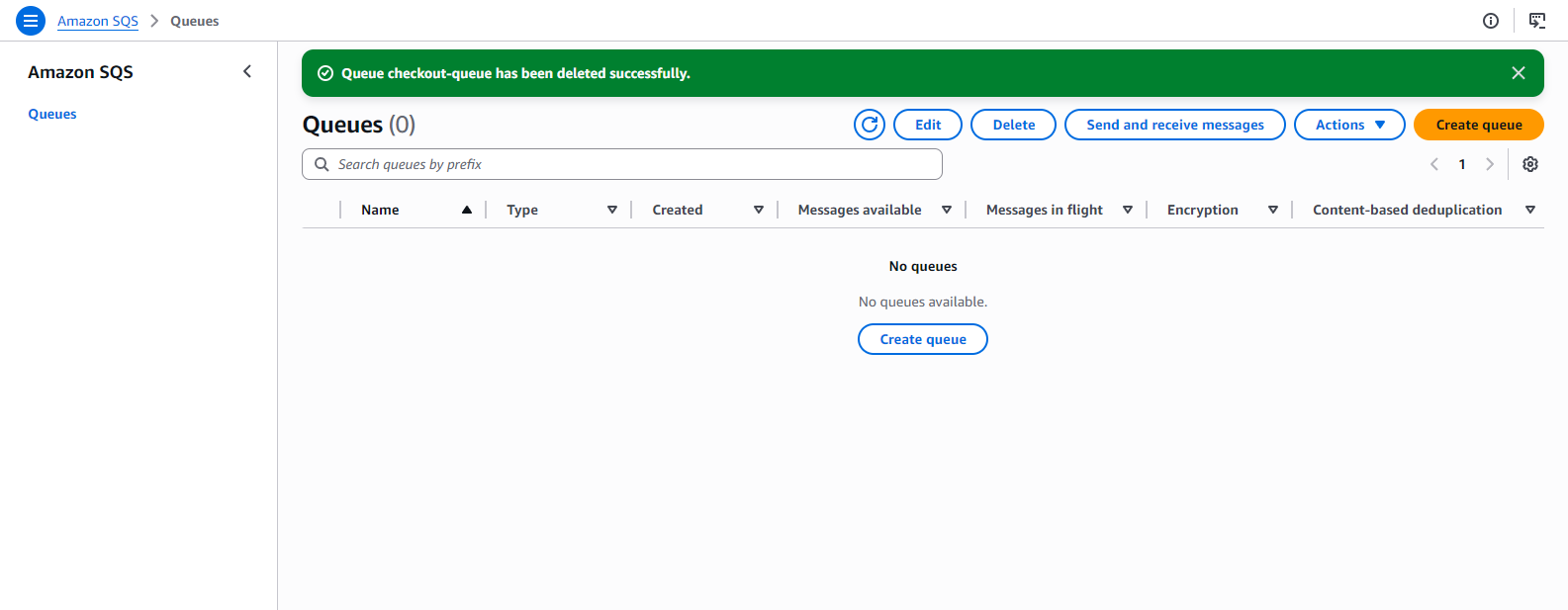
- The queue is deleted successfully.
Cleanup SNS.
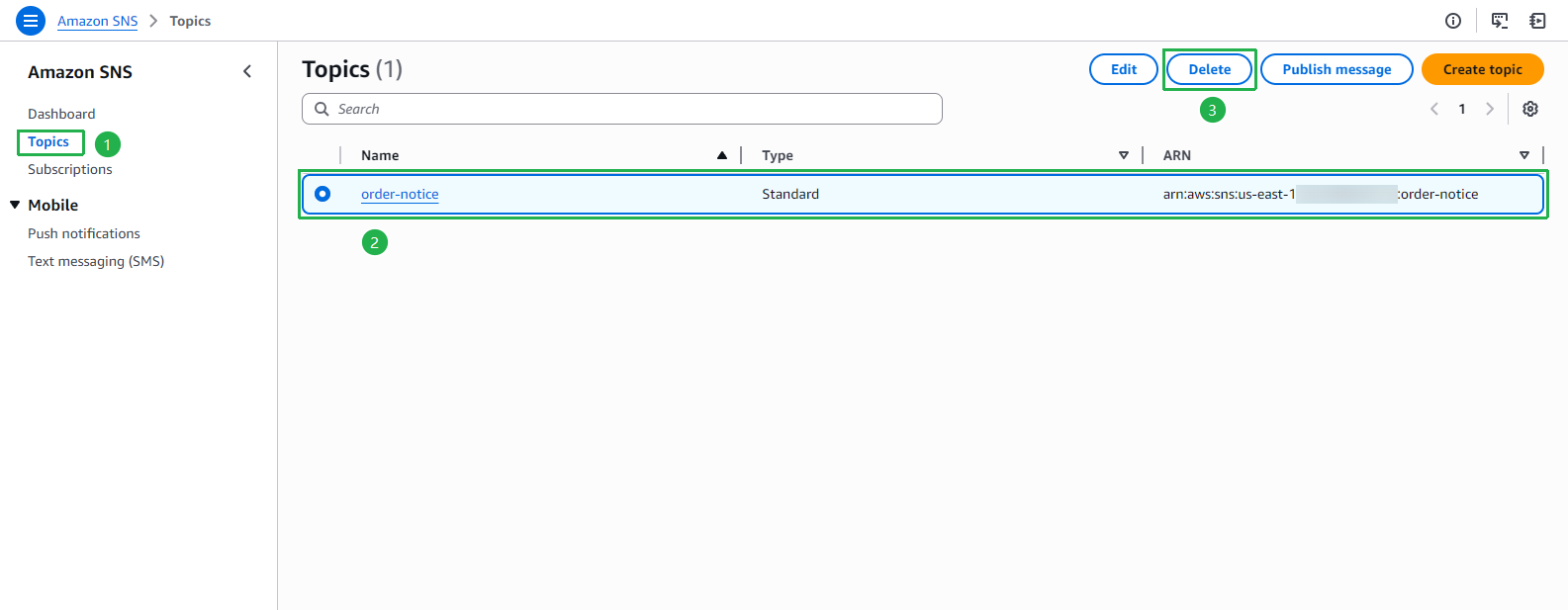
- Open Amazon SNS console.
- Click Topics on the left menu.
- Choose order-notice.
- Click Delete button.
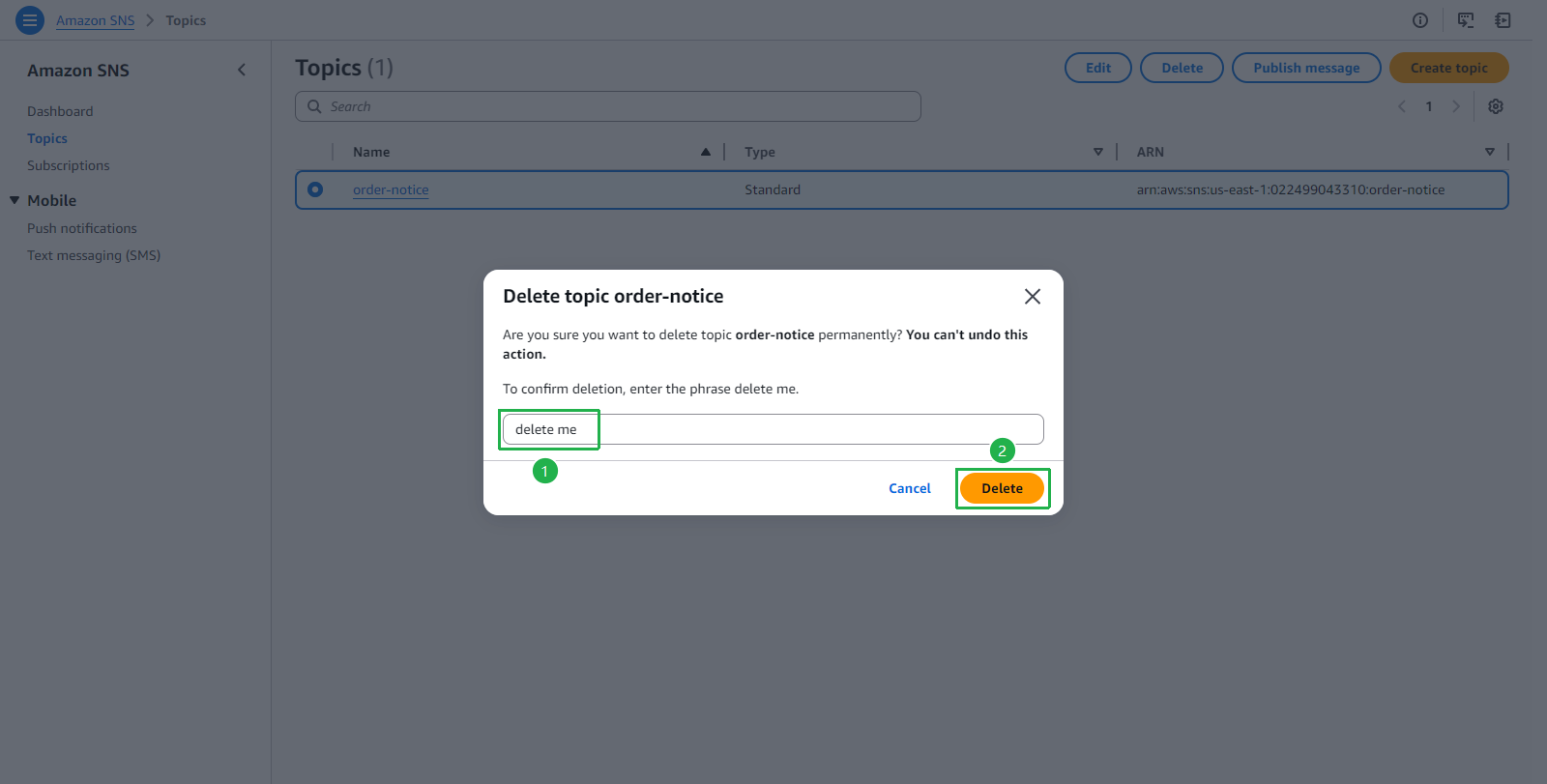
- Enter
delete me. - Click Delete button.
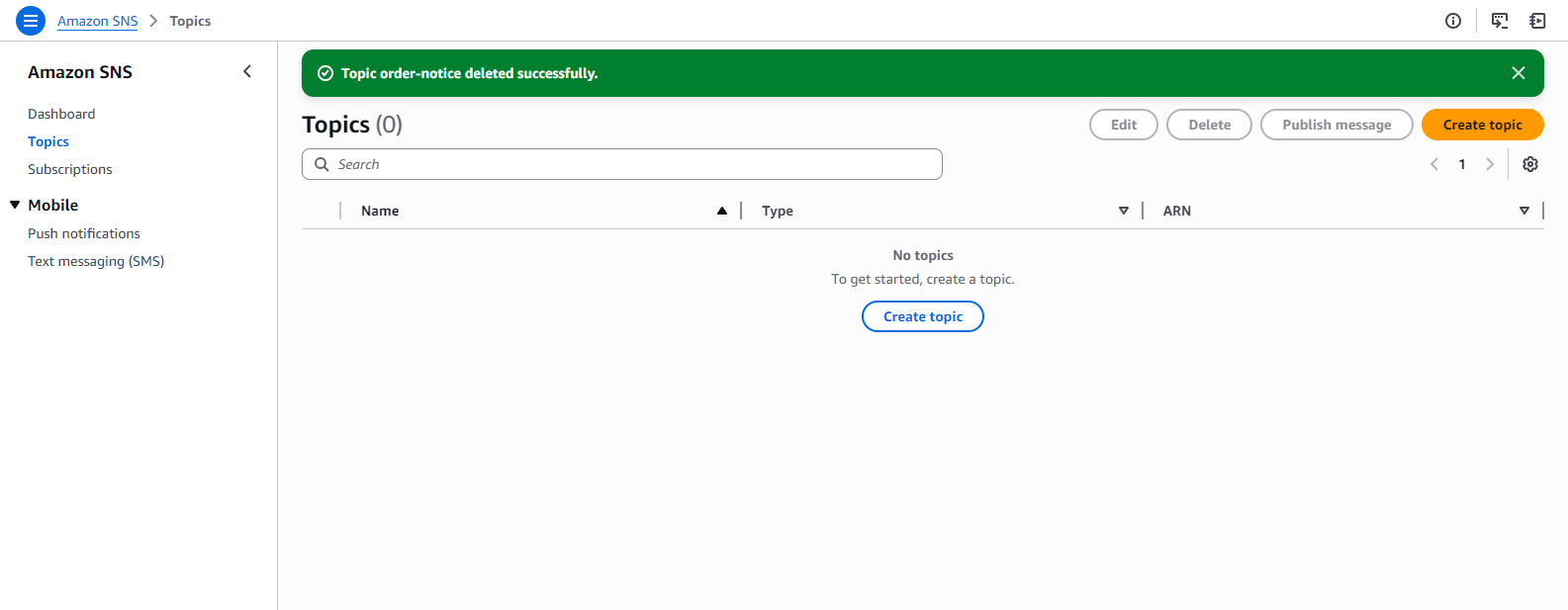
- The topic is deleted successfully.