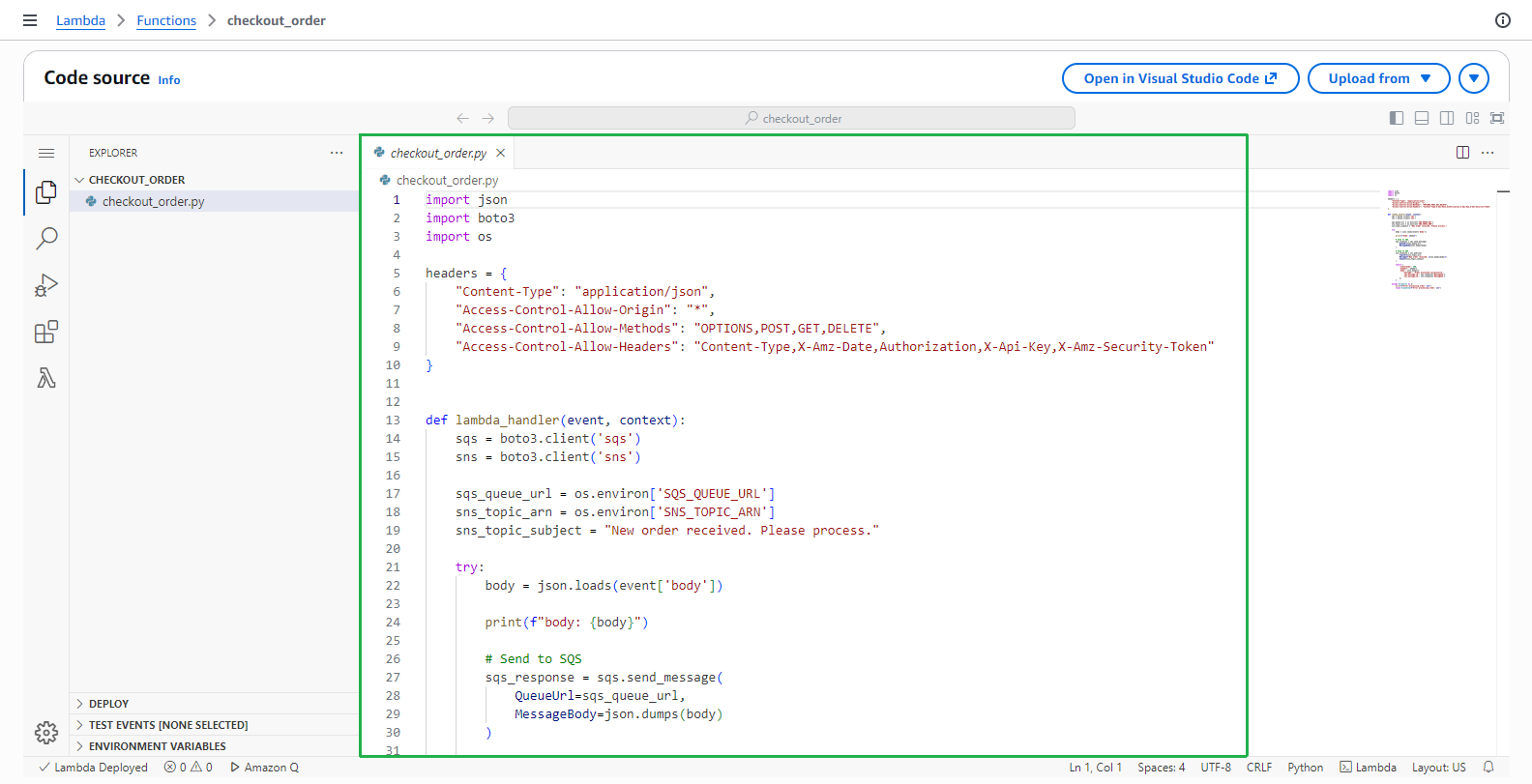
Tạo hàm checkout_order Lambda
Trong bước này, chúng ta sẽ tạo một hàm checkout_order Lambda mới bằng cách sử dụng mẫu SAM.
Chuẩn bị
Mở template.yaml trong mã nguồn bạn đã tải xuống trước đó.
Comment khối mã này.
# BookApiDeployment:
#   Type: AWS::ApiGateway::Deployment
#   Properties:
#     RestApiId: !Ref BookApi
#   DependsOn:
#     - BookApiGet
#     - BookApiCreate
#     - BookApiDelete
#     - LoginApi
#     - RegisterApi
#     - ConfirmApi

BookApiStage:
  Type: AWS::ApiGateway::Stage
  Properties:
    RestApiId: !Ref BookApi
    StageName: !Ref stage
#     DeploymentId: !Ref BookApiDeployment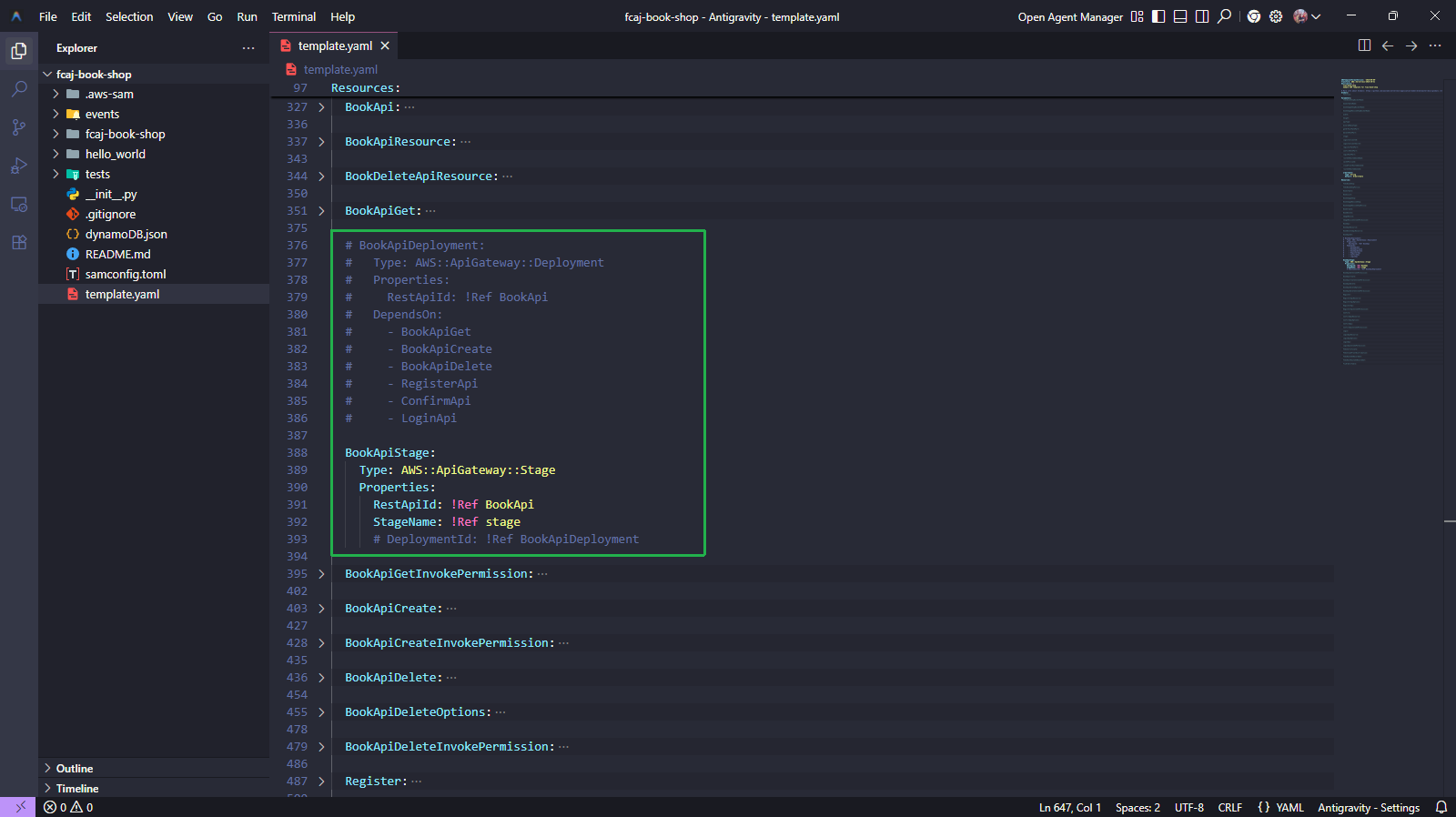
Chạy các lệnh dưới đây.
sam validate
sam build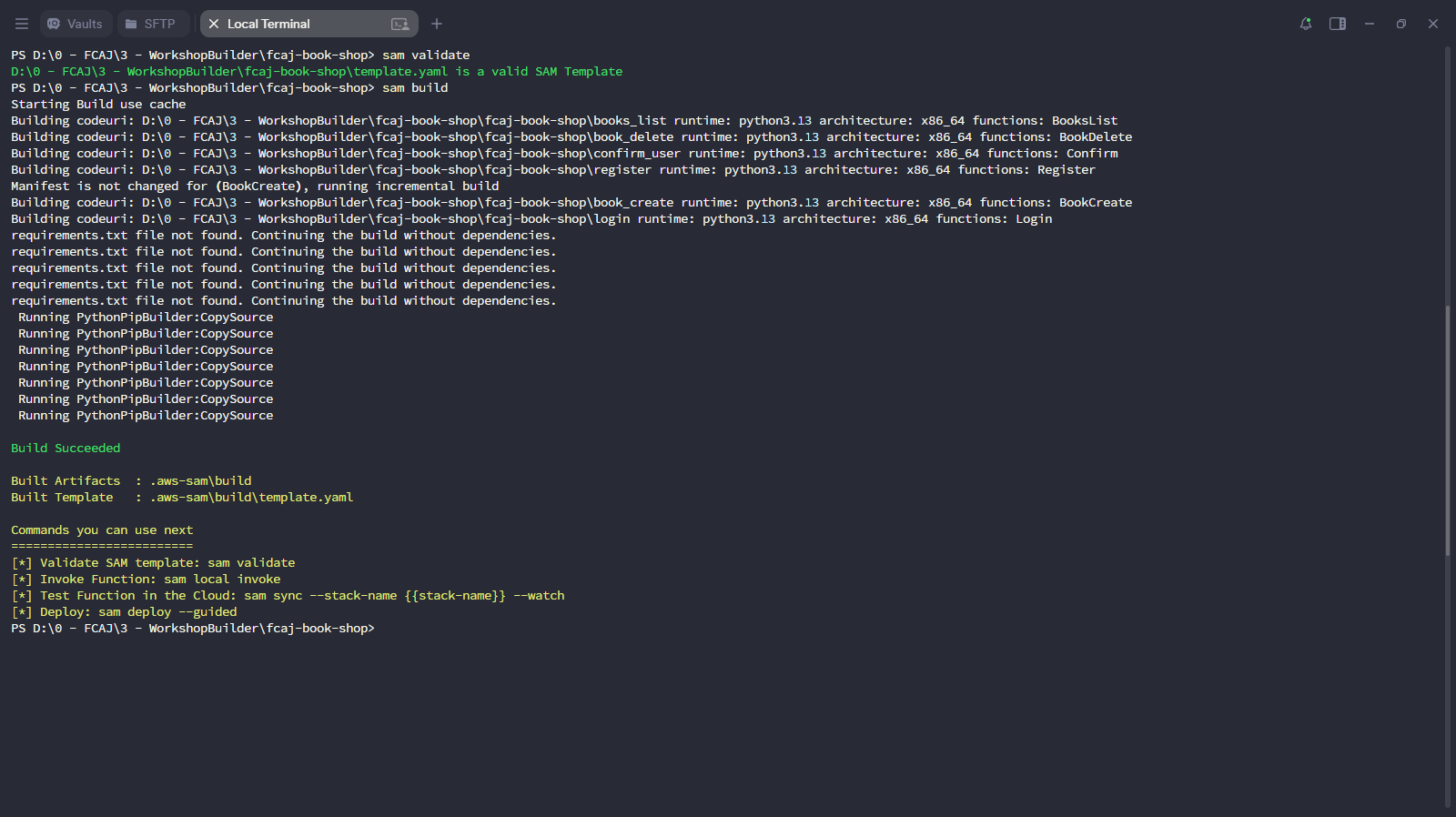
Triển khai stack đã cập nhật.
sam deploy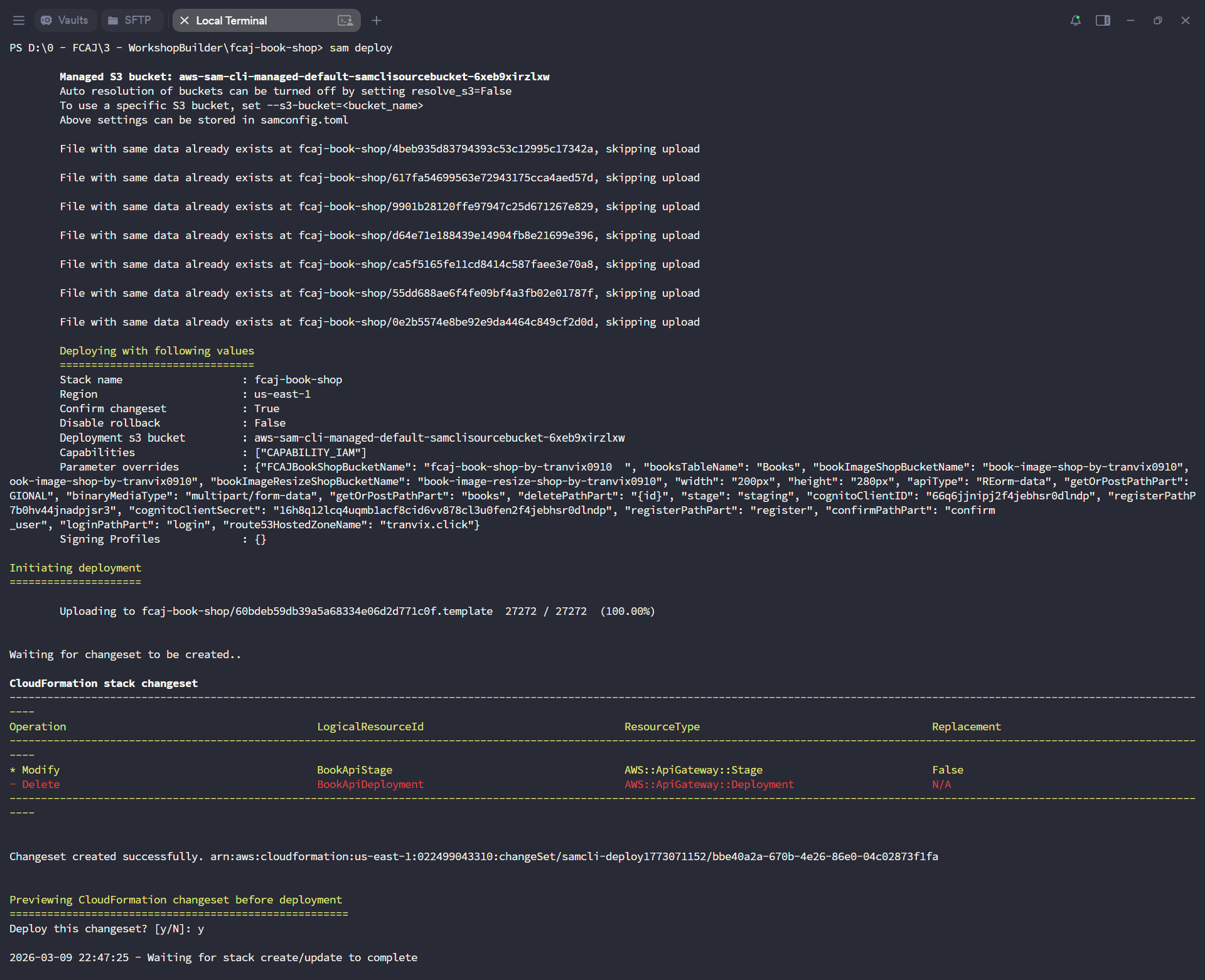
Chờ triển khai hoàn tất.
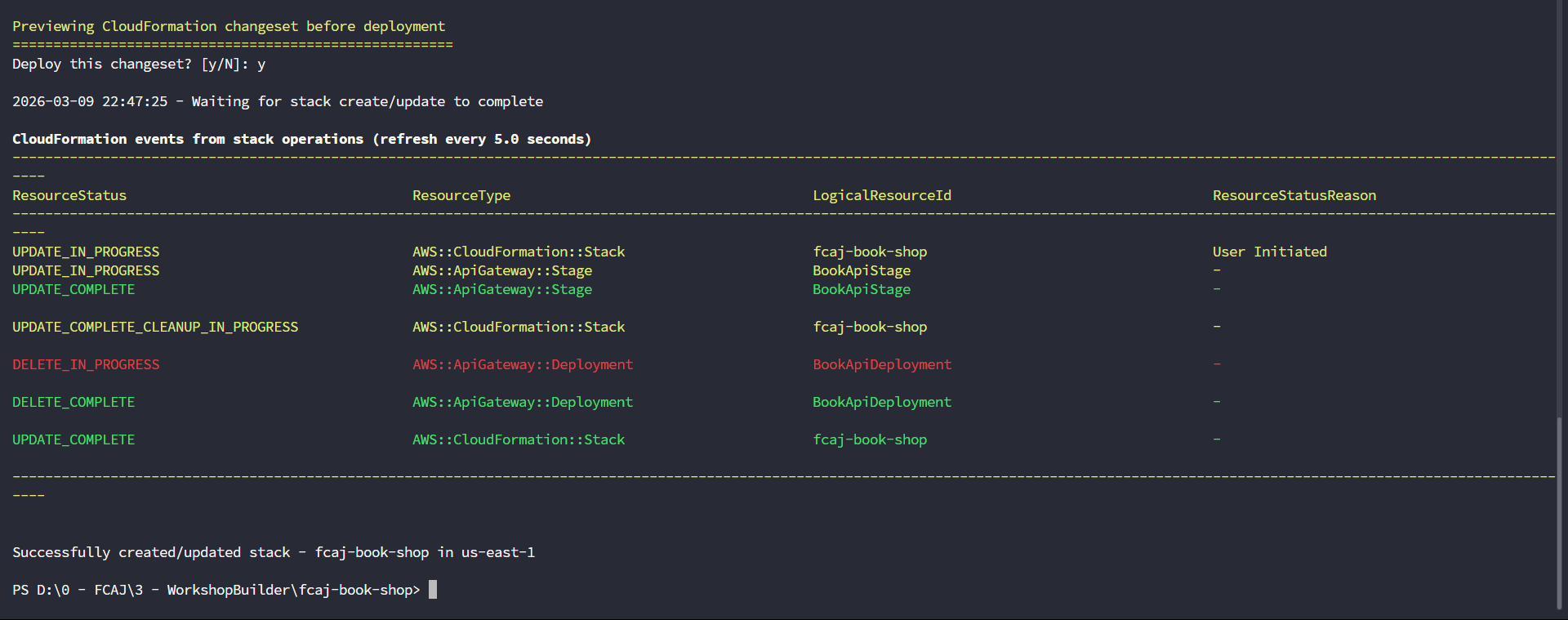
Tạo hàm FCAJCheckOutOrder
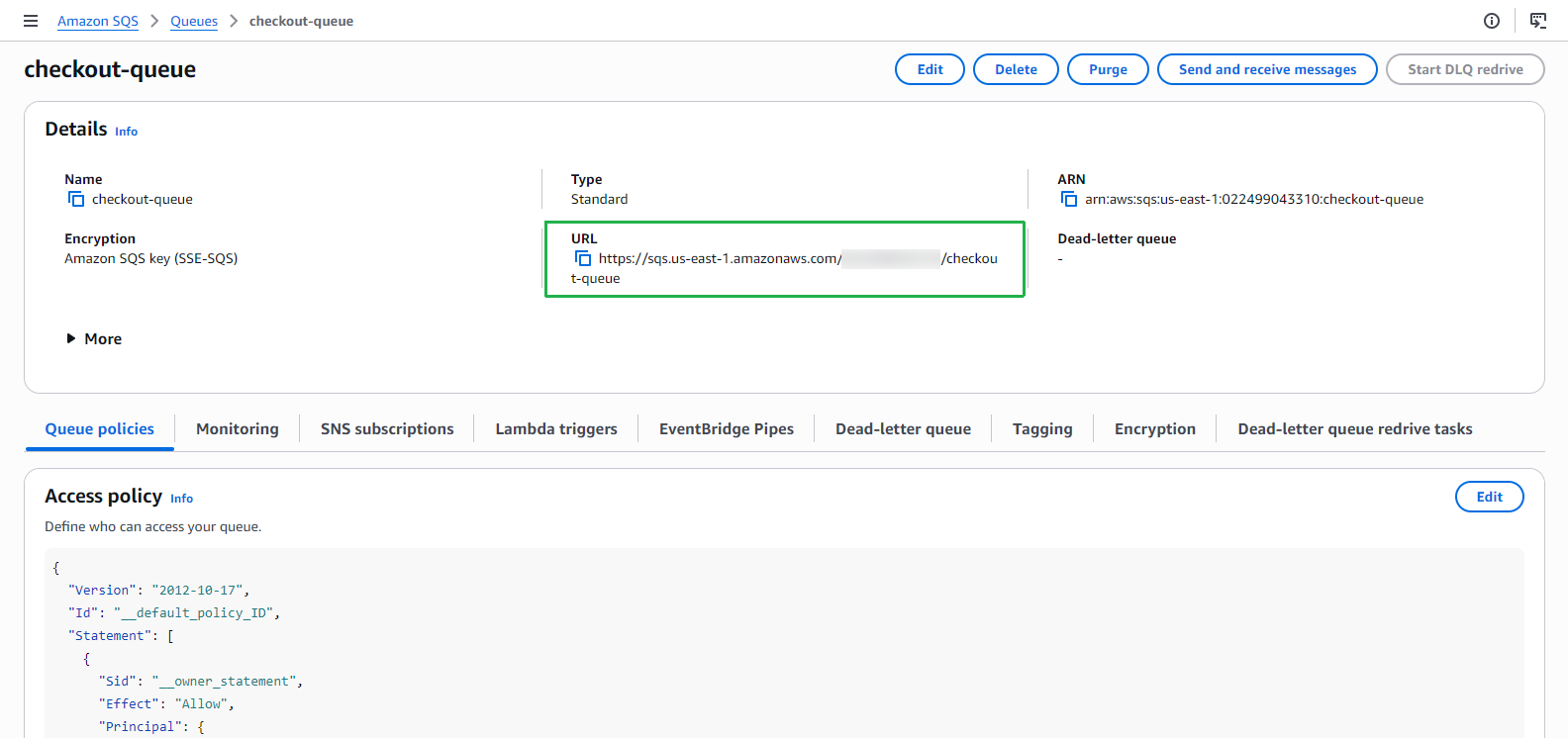
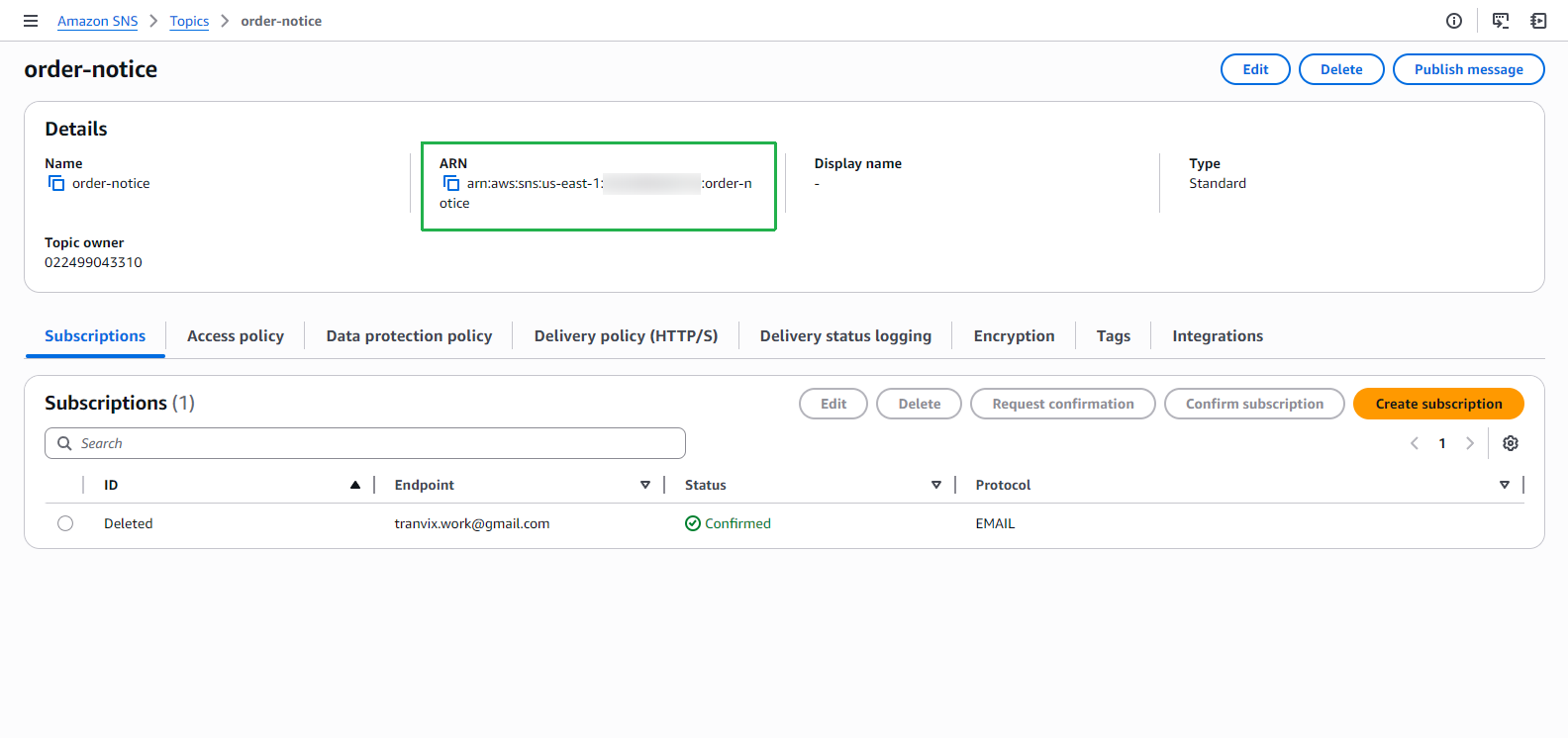
Trước khi thêm các tham số, bạn cần lấy SQS Queue URL và SNS Topic ARN từ AWS Console.
Mở SQS console và sao chép URL của checkout-queue.
Mở SNS console và sao chép ARN của topic order-notice.
Mở template.yaml trong mã nguồn bạn đã tải xuống trước đó.
- Thêm các đoạn mã sau đây để tạo hàm FCAJCheckOutOrder.
Thay đổi giá trị checkoutQueueUrl và orderTopicArn thành giá trị của bạn.
checkoutQueueName:
  Type: String
  Default: checkout-queue

checkoutQueueUrl:
  Type: String
  Default: https://sqs.us-east-1.amazonaws.com/017820706022/checkout-queue

orderTopicName:
  Type: String
  Default: order-notice

orderTopicArn:
  Type: String
  Default: arn:aws:sns:us-east-1:017820706022:order-notice

checkoutPathPart:
  Type: String
  Default: order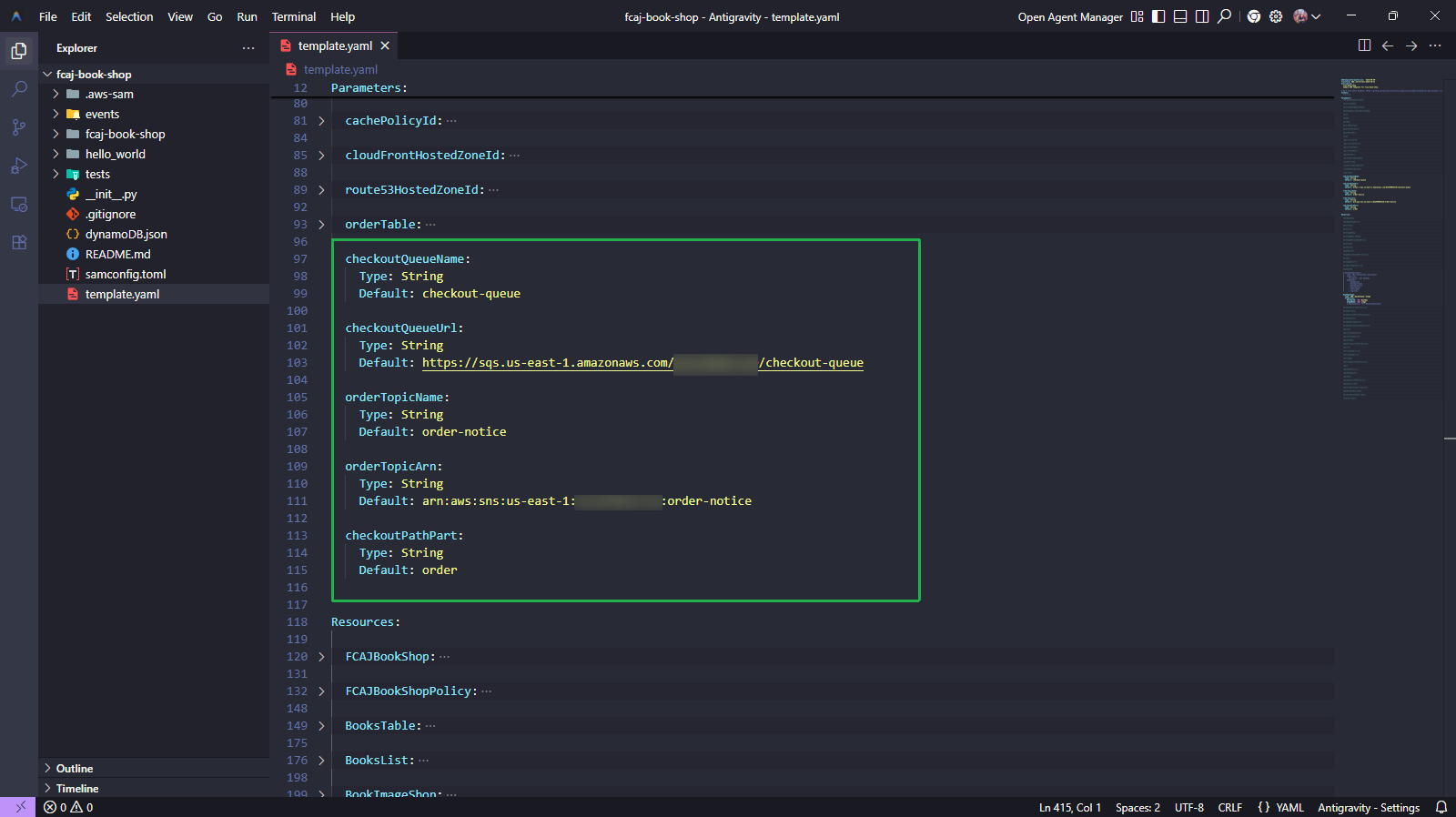
FCAJCheckOutOrderFunction:
  Type: AWS::Serverless::Function
  Properties:
    CodeUri: fcaj-book-shop/checkout_order
    Handler: checkout_order.lambda_handler
    Runtime: python3.13
    FunctionName: checkout_order
    Environment:
      Variables:
        SQS_QUEUE_URL: !Ref checkoutQueueUrl
        SNS_TOPIC_ARN: !Ref orderTopicArn
    Architectures:
      - x86_64
    Policies:
      - Statement:
          - Sid: VisualEditor0
            Effect: Allow
            Action:
              - sqs:*
            Resource:
              - !Sub "arn:aws:sqs:${AWS::Region}:${AWS::AccountId}:${checkoutQueueName}"
          - Sid: VisualEditor1
            Effect: Allow
            Action:
              - sns:Publish
            Resource:
              - !Sub "arn:aws:sns:${AWS::Region}:${AWS::AccountId}:${orderTopicName}"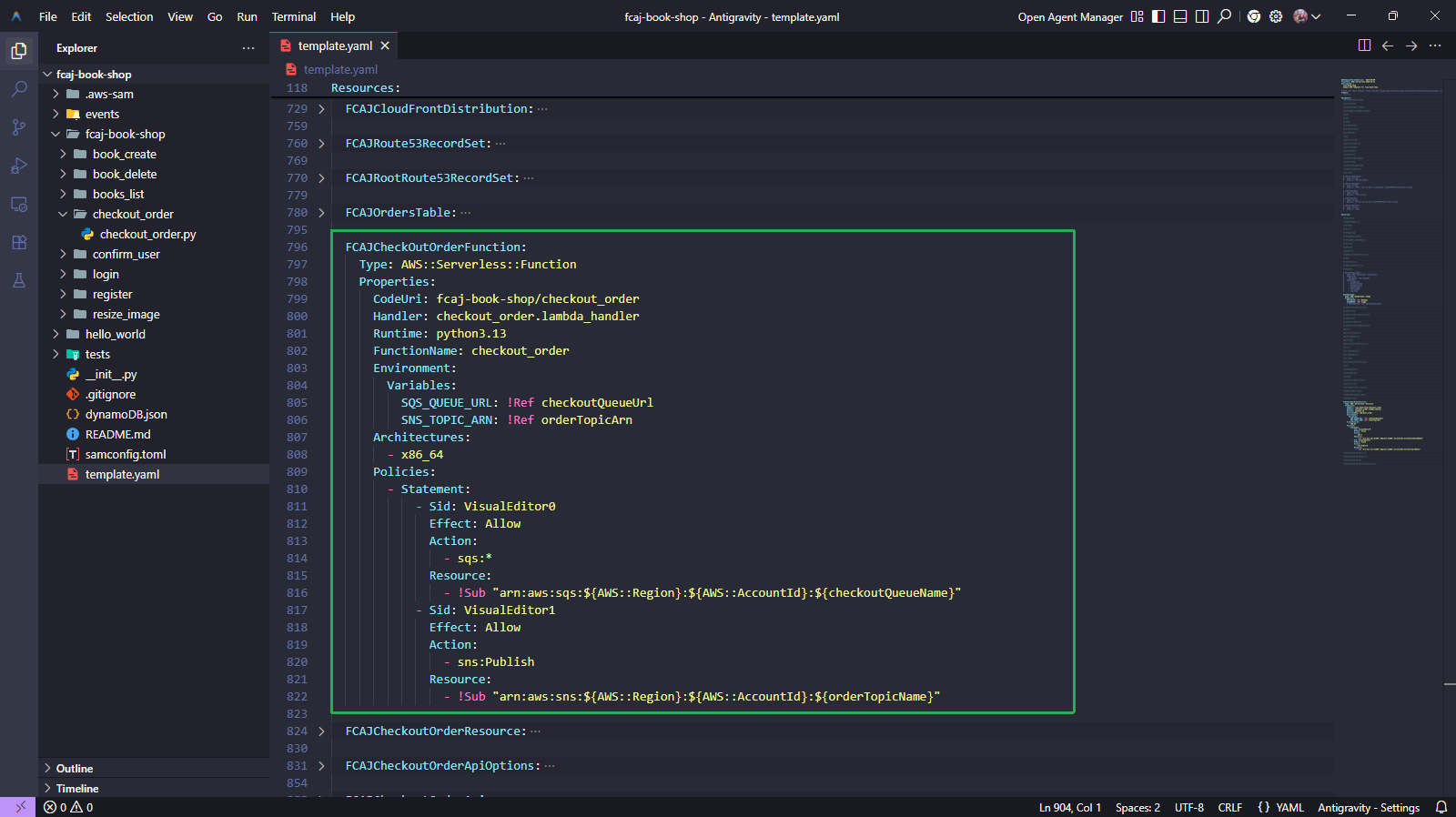
FCAJCheckoutOrderResource:
  Type: AWS::ApiGateway::Resource
  Properties:
    RestApiId: !Ref BookApi
    ParentId: !Ref BookApiResource
    PathPart: !Ref checkoutPathPart

FCAJCheckoutOrderApiOptions:
  Type: AWS::ApiGateway::Method
  Properties:
    HttpMethod: OPTIONS
    RestApiId: !Ref BookApi
    ResourceId: !Ref FCAJCheckoutOrderResource
    AuthorizationType: NONE
    Integration:
      Type: MOCK
      RequestTemplates:
        application/json: '{"statusCode": 200}'
      IntegrationResponses:
        - StatusCode: "200"
          ResponseParameters:
            method.response.header.Access-Control-Allow-Origin: "'*'"
            method.response.header.Access-Control-Allow-Methods: "'OPTIONS,POST,GET,DELETE'"
            method.response.header.Access-Control-Allow-Headers: "'Content-Type,X-Amz-Date,Authorization,X-Api-Key,X-Amz-Security-Token'"
    MethodResponses:
      - StatusCode: "200"
        ResponseParameters:
          method.response.header.Access-Control-Allow-Origin: true
          method.response.header.Access-Control-Allow-Methods: true
          method.response.header.Access-Control-Allow-Headers: true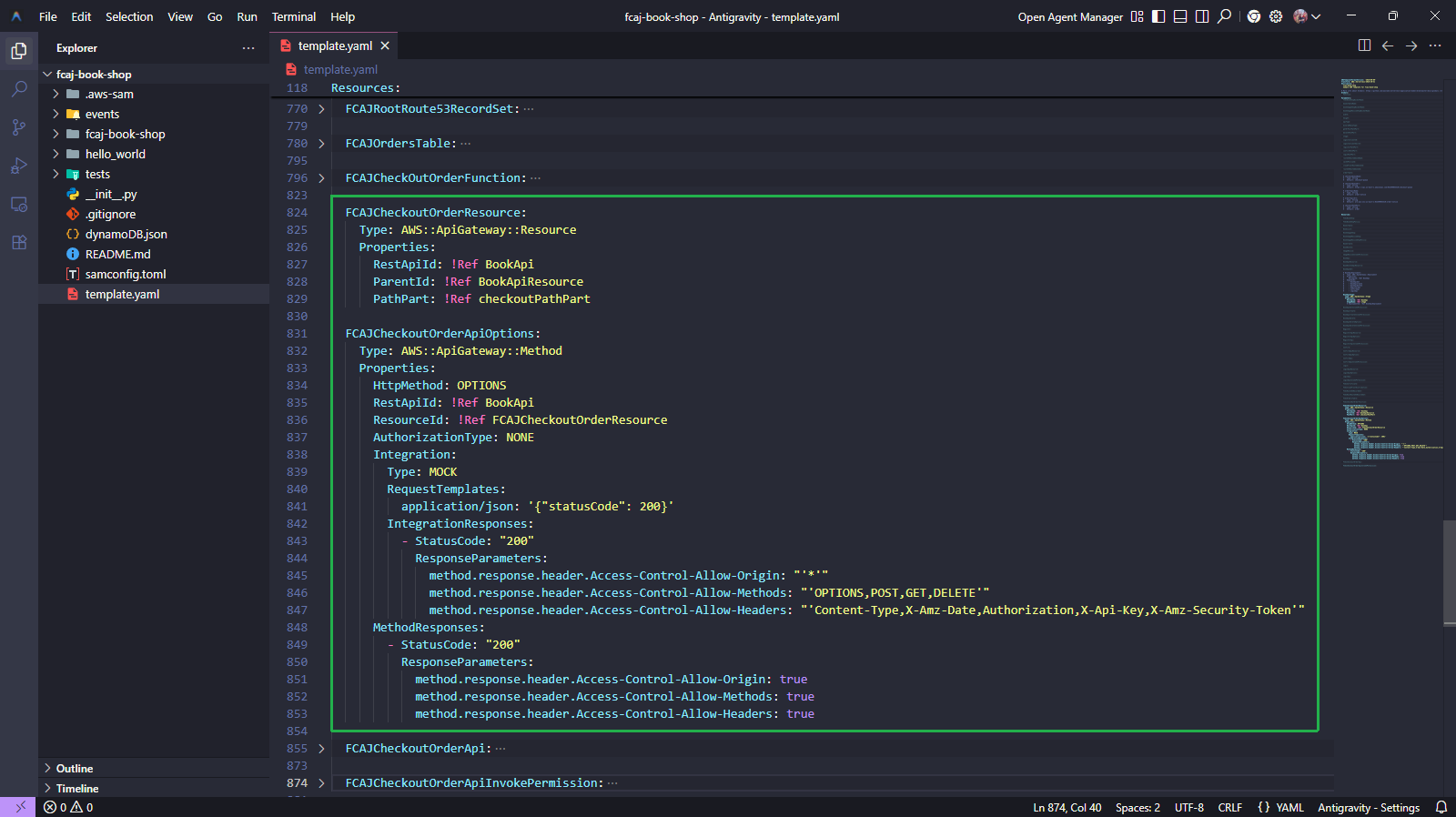
FCAJCheckoutOrderApi:
  Type: AWS::ApiGateway::Method
  Properties:
    HttpMethod: POST
    RestApiId: !Ref BookApi
    ResourceId: !Ref FCAJCheckoutOrderResource
    AuthorizationType: NONE
    Integration:
      Type: AWS_PROXY
      IntegrationHttpMethod: POST # For Lambda integrations, you must set the integration method to POST
      Uri: !Sub >-
        arn:aws:apigateway:${AWS::Region}:lambda:path/2015-03-31/functions/${FCAJCheckOutOrderFunction.Arn}/invocations
    MethodResponses:
      - StatusCode: "200"
        ResponseParameters:
          method.response.header.Access-Control-Allow-Origin: true
          method.response.header.Access-Control-Allow-Methods: true
          method.response.header.Access-Control-Allow-Headers: true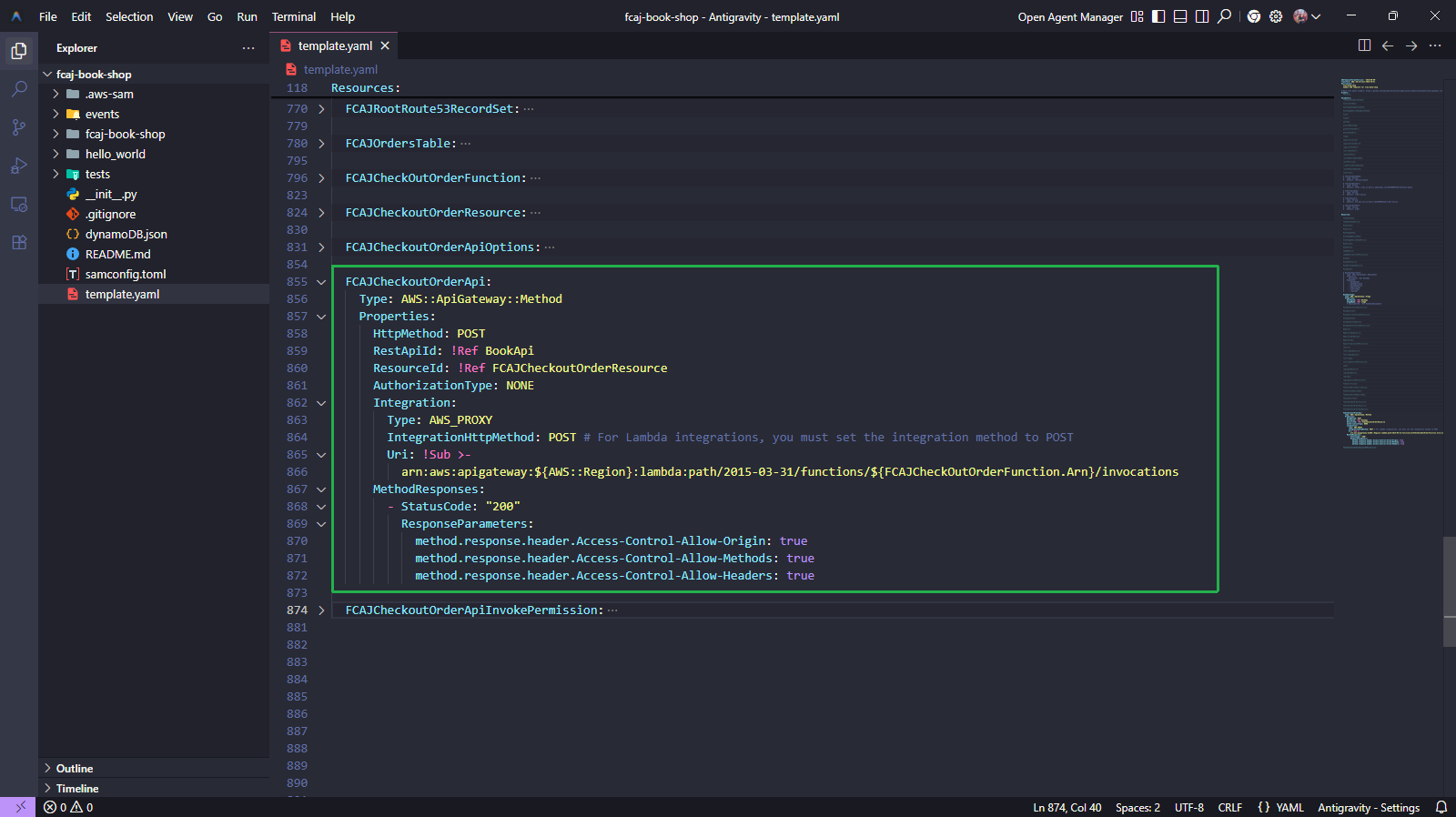
FCAJCheckoutOrderApiInvokePermission:
  Type: AWS::Lambda::Permission
  Properties:
    FunctionName: !Ref FCAJCheckOutOrderFunction
    Action: lambda:InvokeFunction
    Principal: apigateway.amazonaws.com
    SourceAccount: !Ref "AWS::AccountId"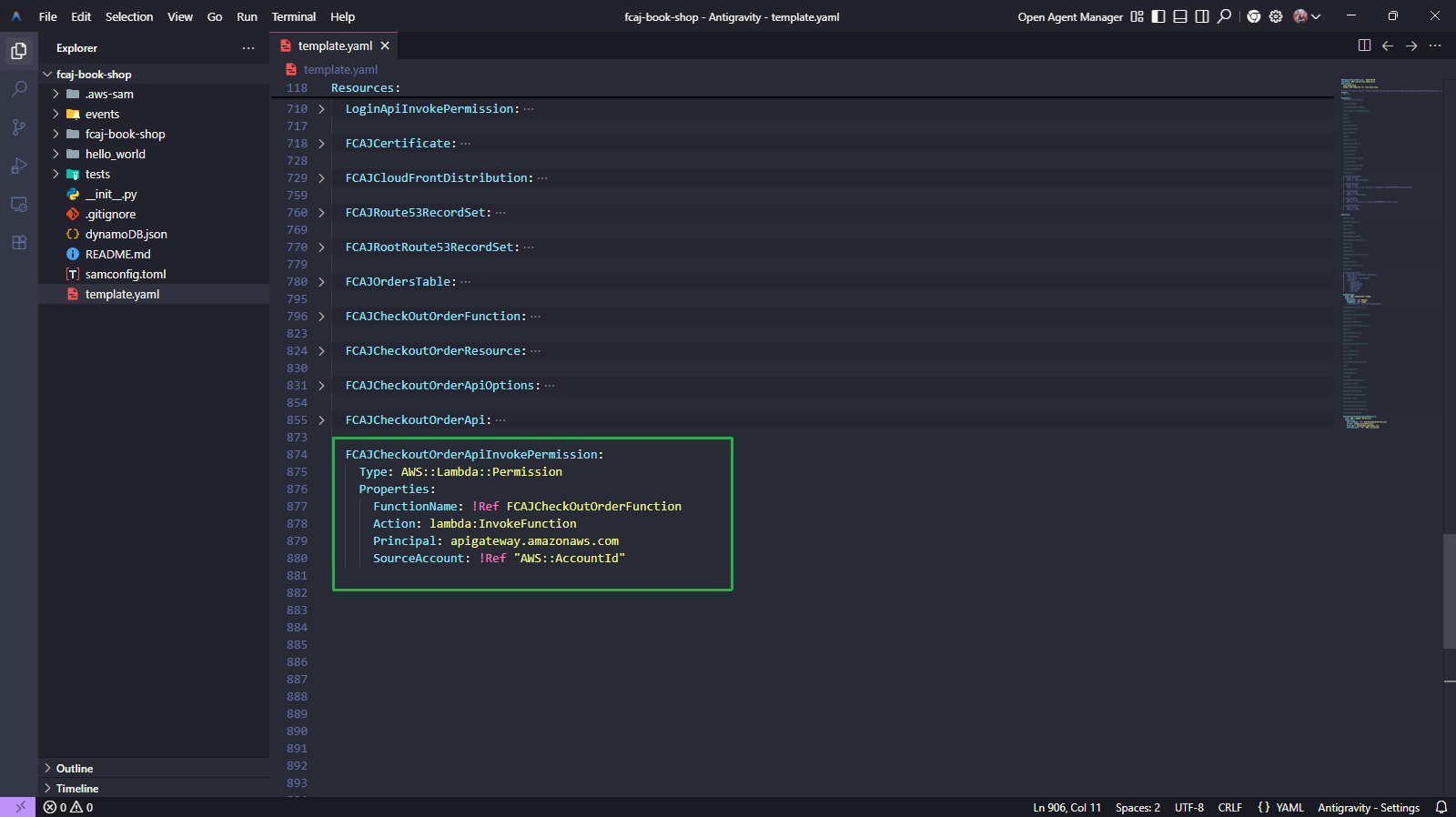
- Thêm các đoạn mã sau đây để tạo hàm FCAJCheckOutOrder.
Cấu trúc thư mục như sau.
fcaj-book-shop
├── fcaj-book-shop
│   ├── checkout_order
│   │   └── checkout_order.py
│   ├── ...
│
└── template.yaml
Tạo thư mục checkout_order trong thư mục fcaj-book-shop/fcaj-book-shop/.
Tạo tệp checkout_order.py và sao chép mã sau vào đó.
import json
import boto3
import os

headers = {
    "Content-Type": "application/json",
    "Access-Control-Allow-Origin": "*",
    "Access-Control-Allow-Methods": "OPTIONS,POST,GET,DELETE",
    "Access-Control-Allow-Headers": "Content-Type,X-Amz-Date,Authorization,X-Api-Key,X-Amz-Security-Token"
}


def lambda_handler(event, context):
    sqs = boto3.client('sqs')
    sns = boto3.client('sns')

    sqs_queue_url = os.environ['SQS_QUEUE_URL']
    sns_topic_arn = os.environ['SNS_TOPIC_ARN']
    sns_topic_subject = "New order received. Please process."

    try:
        body = json.loads(event['body'])

        print(f"body: {body}")

        # Send to SQS
        sqs_response = sqs.send_message(
            QueueUrl=sqs_queue_url,
            MessageBody=json.dumps(body)
        )

        # Send to SNS
        sns_response = sns.publish(
            TopicArn=sns_topic_arn,
            Message=f"New order received: {json.dumps(body)}",
            Subject=sns_topic_subject
        )

        return {
            'statusCode': 200,
            'headers': headers,
            'body': json.dumps({
                'message': 'Order processed successfully',
                'sqs_message_id': sqs_response['MessageId'],
                'sns_message_id': sns_response['MessageId']
            })
        }

    except Exception as e:
        print(f"Error processing order: {e}")
        raise Exception(f"Error processing order: {e}")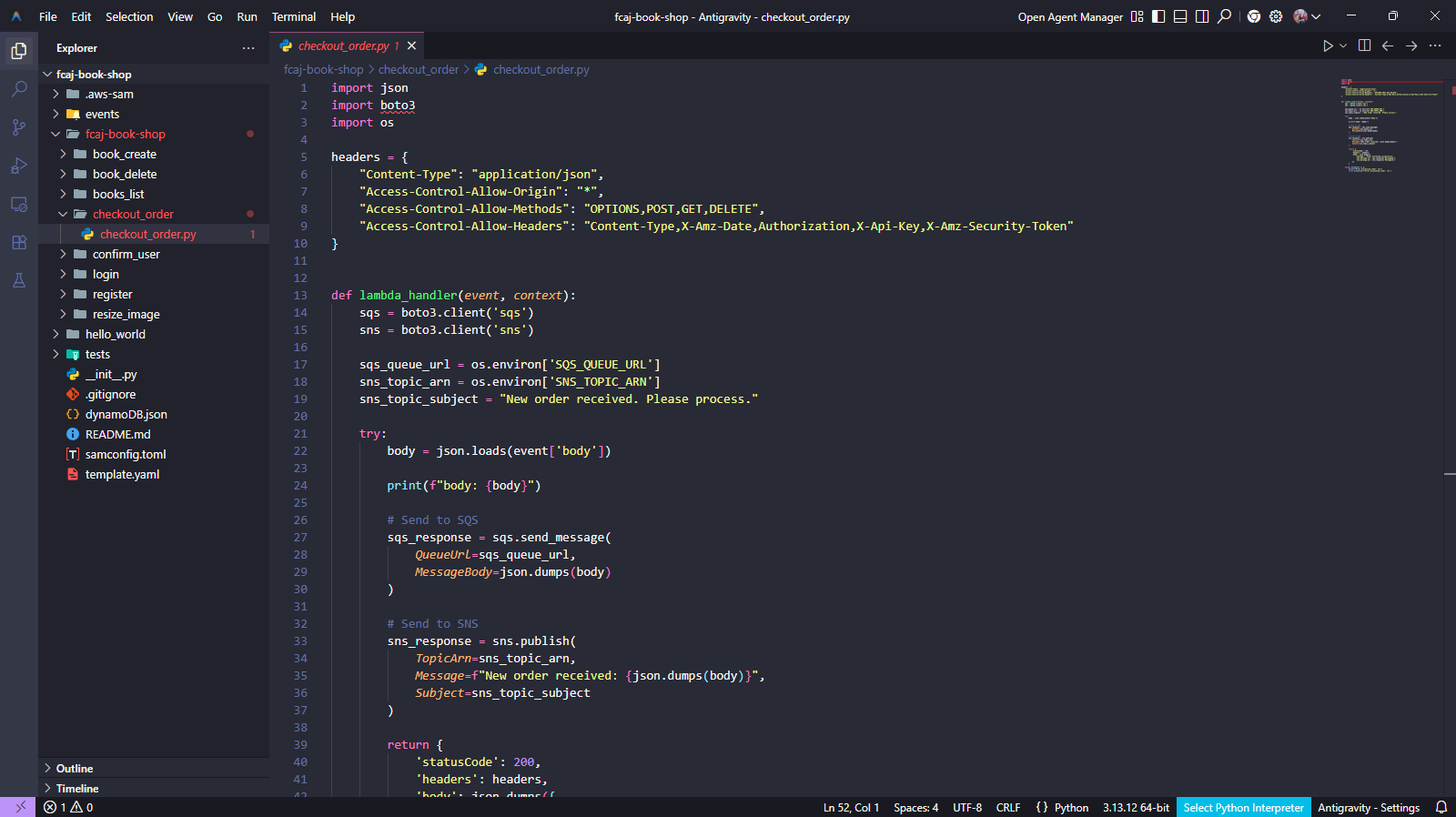
Bỏ comment khối mã này.
BookApiDeployment:
  Type: AWS::ApiGateway::Deployment
  Properties:
    RestApiId: !Ref BookApi
  DependsOn:
    - BookApiGet
    - BookApiCreate
    - BookApiDelete
    - LoginApi
    - RegisterApi
    - ConfirmApi
    - FCAJCheckoutOrderApi

BookApiStage:
  Type: AWS::ApiGateway::Stage
  Properties:
    RestApiId: !Ref BookApi
    StageName: !Ref stage
    DeploymentId: !Ref BookApiDeployment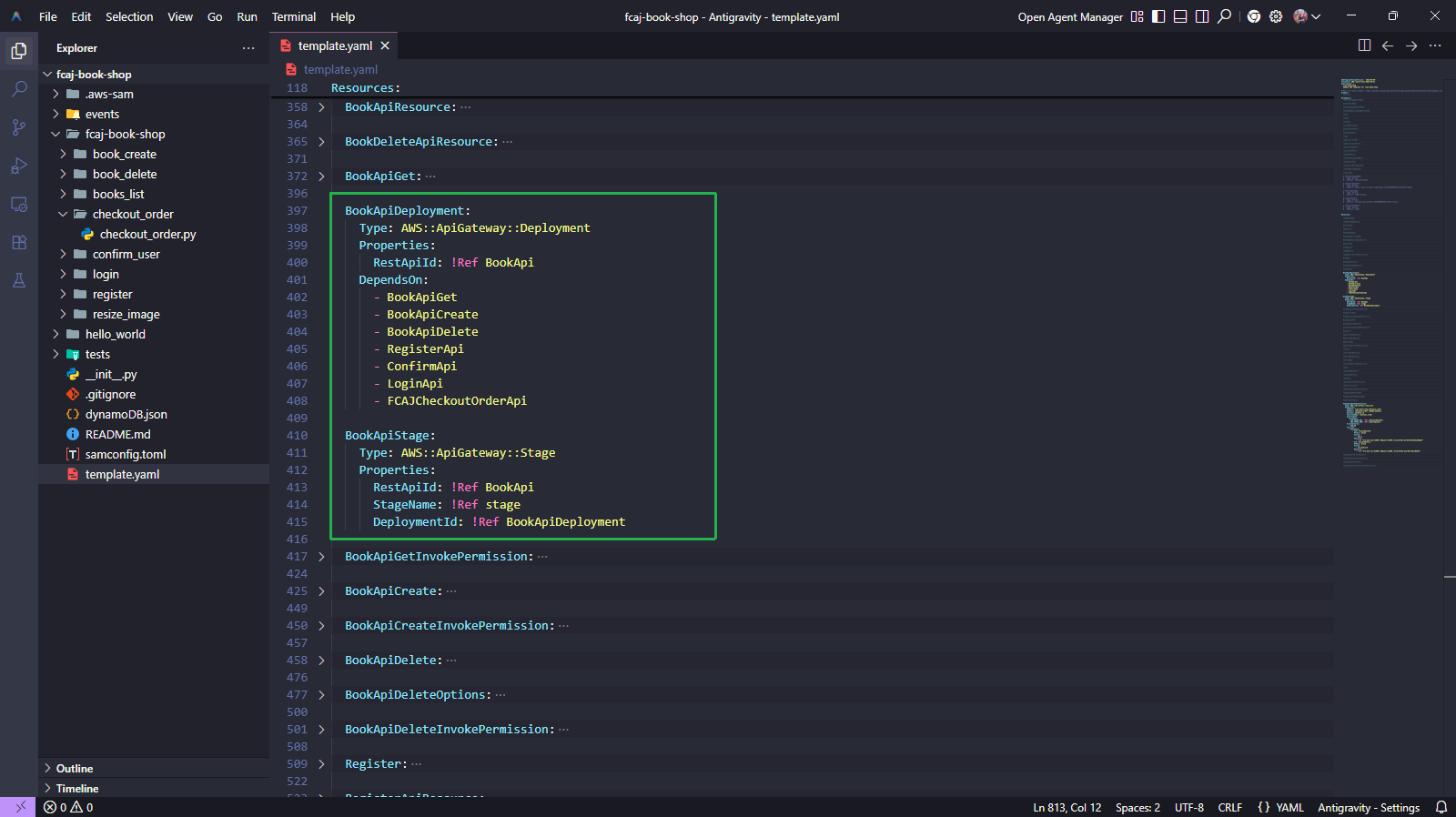
Chạy các lệnh dưới đây.
sam validate
sam build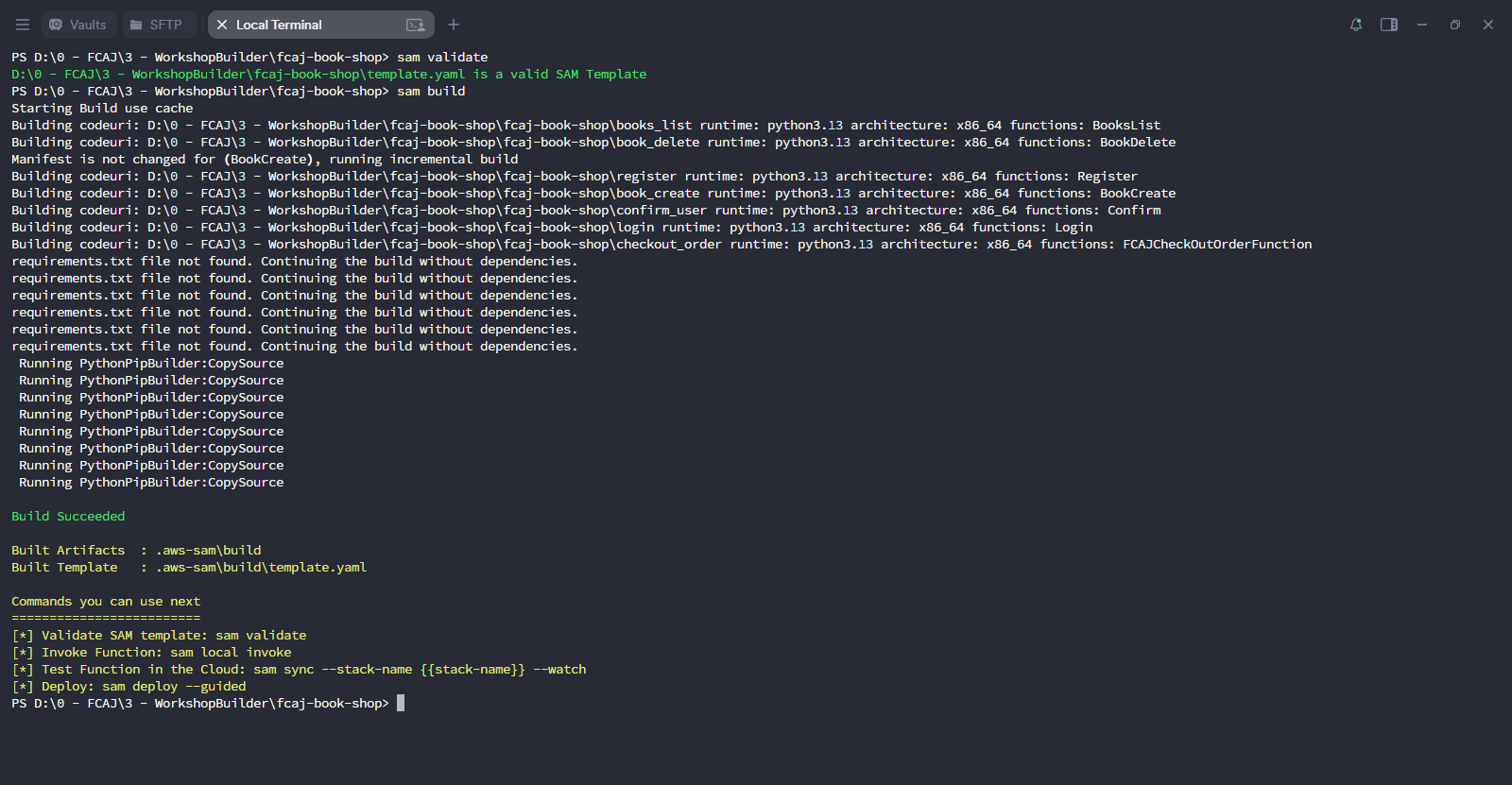
Triển khai stack đã cập nhật.
sam deploy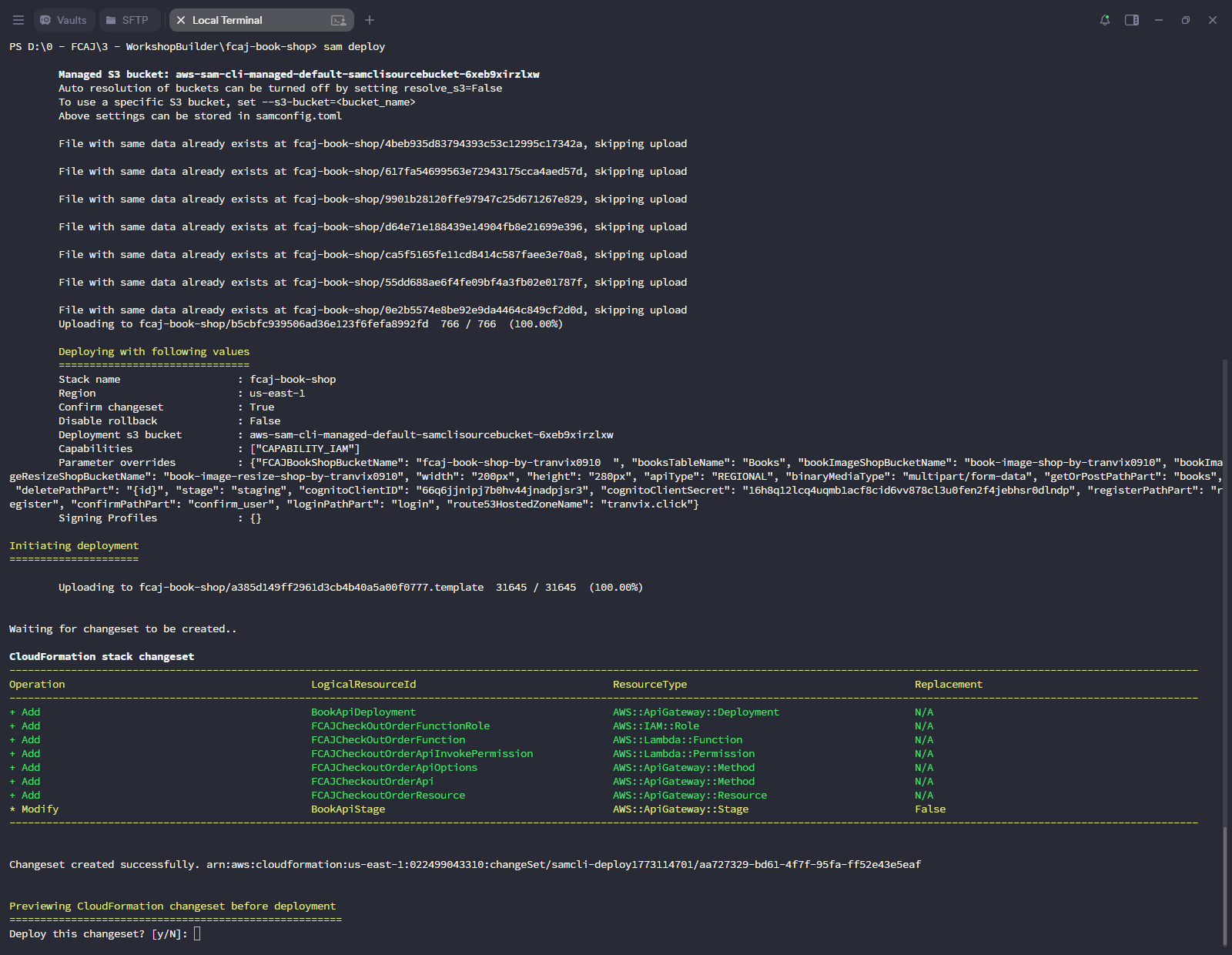
Chờ triển khai hoàn tất.
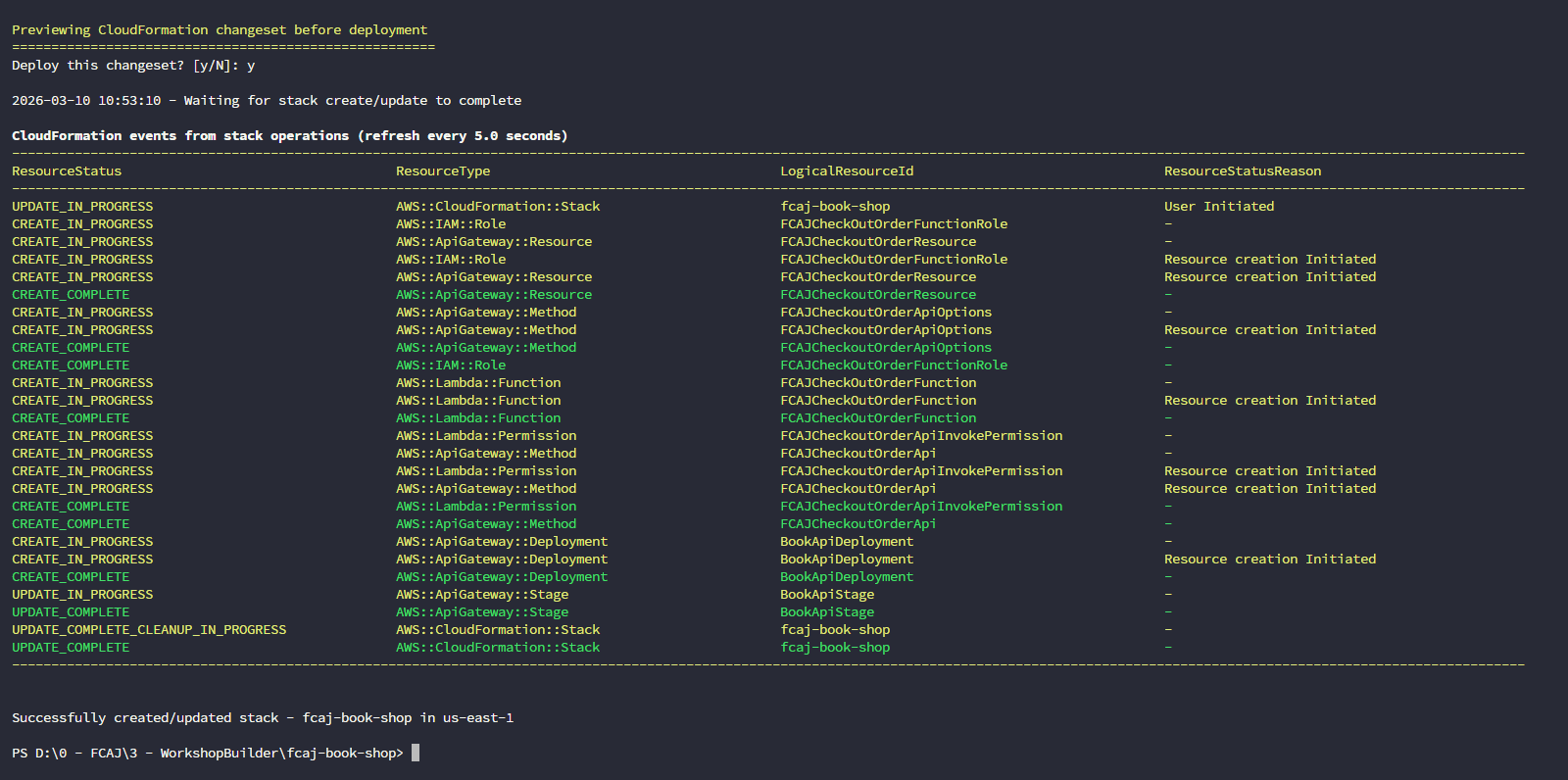
Kiểm tra việc tạo
Mở Amazon API Gateway console.
- Nhấp vào fcaj-serverless-api.
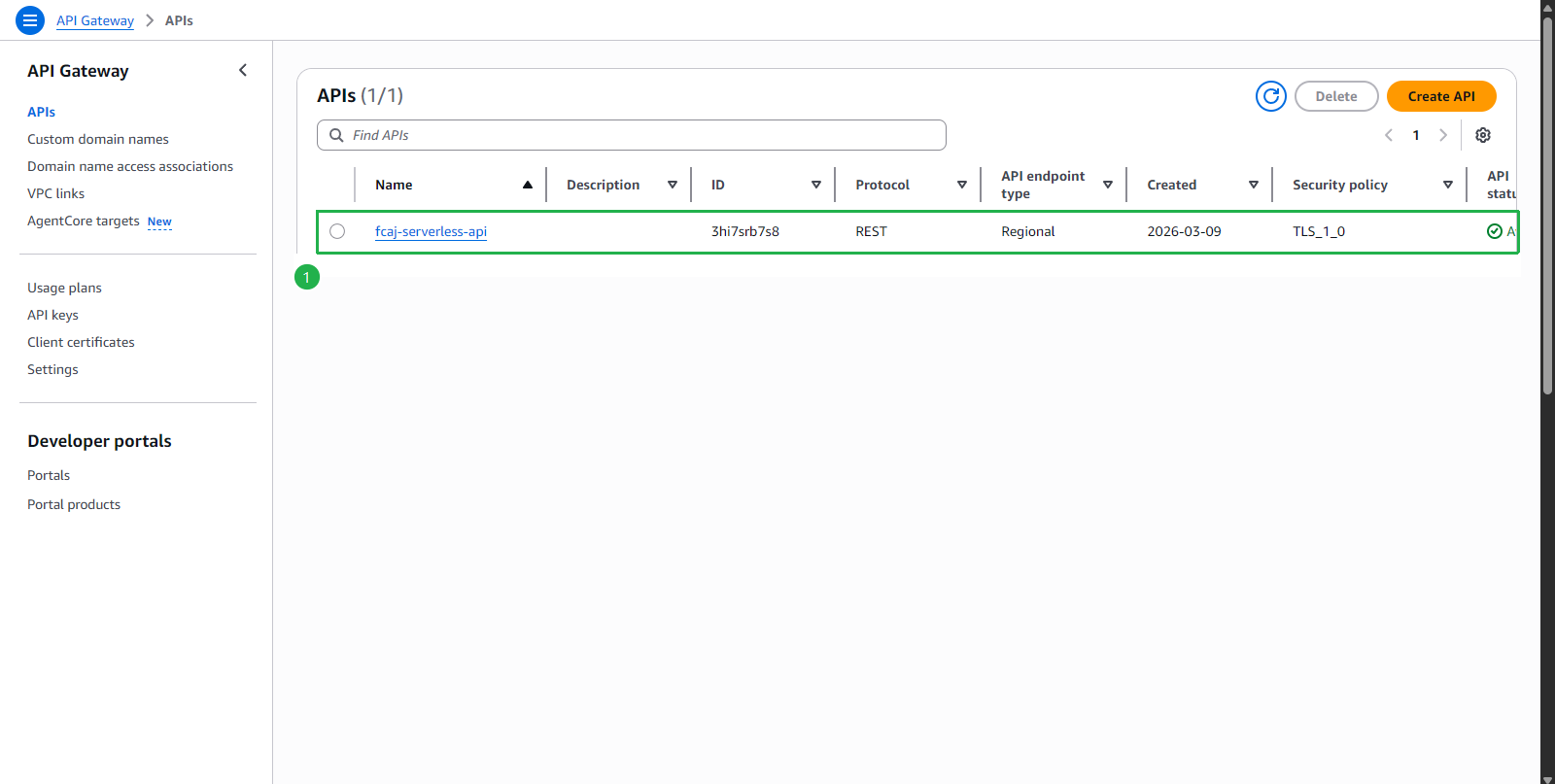
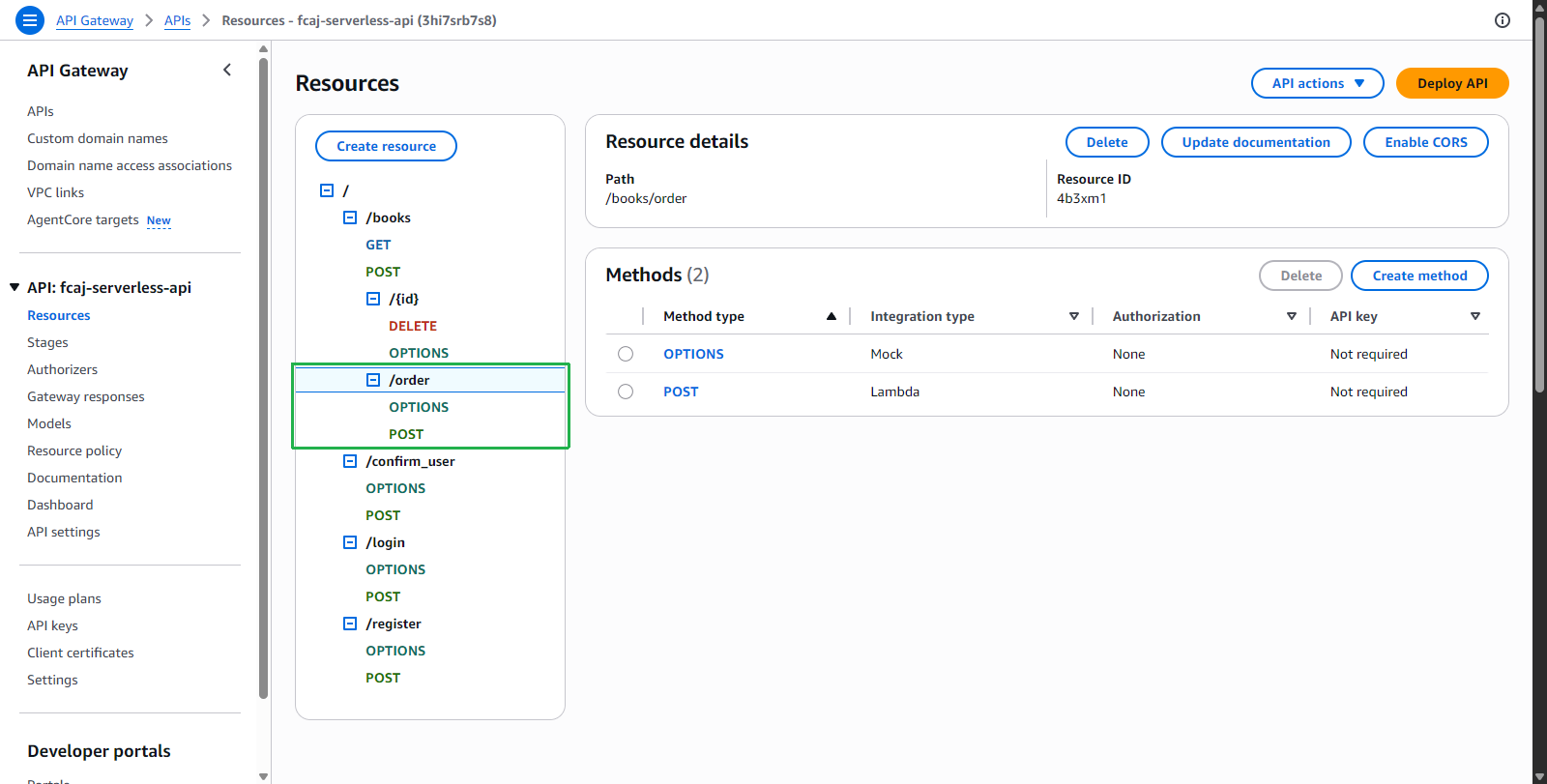
- Nhấp vào Resources trên menu bên trái.
- Kiểm tra /order vừa được tạo.
- Nhấp vào fcaj-serverless-api.
- Nhấp vào Functions trên menu bên trái.
- Chọn hàm checkout_order.
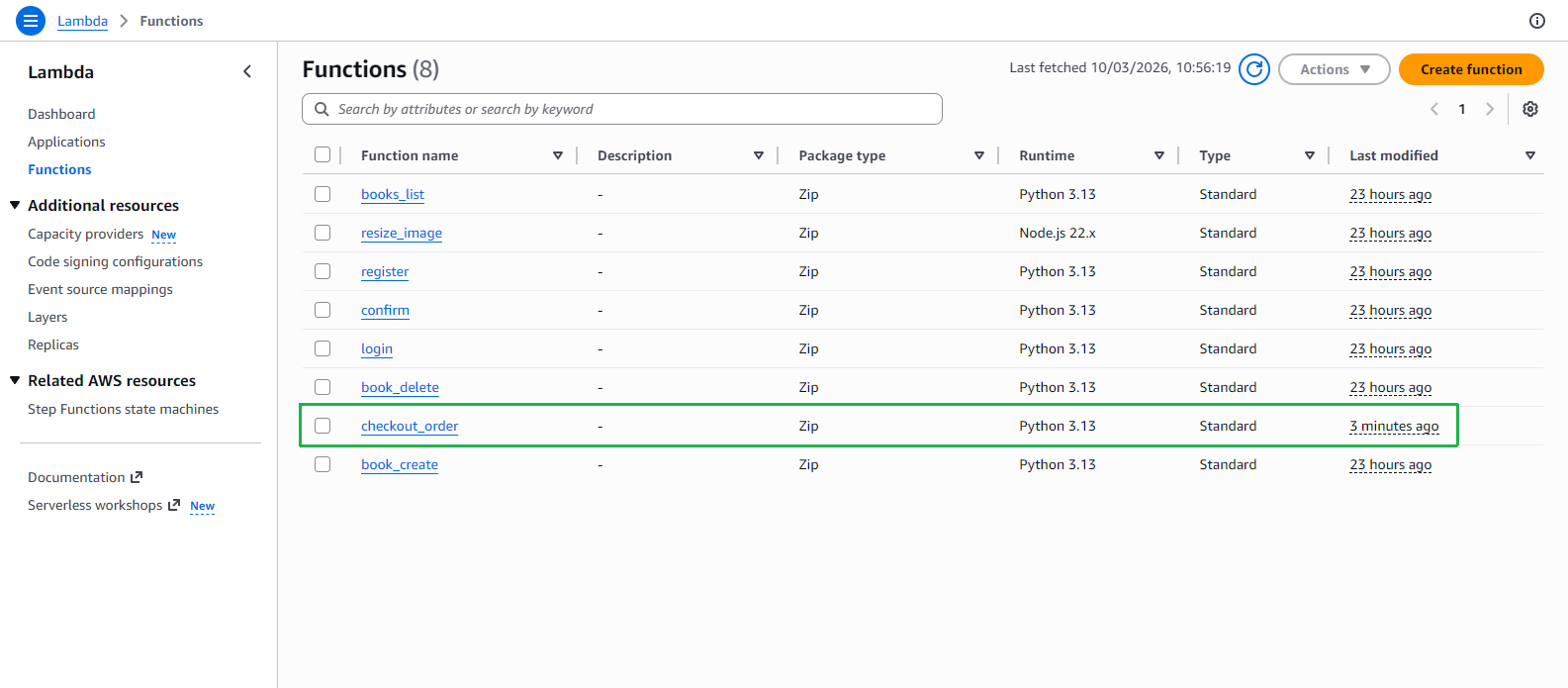
- Tại trang checkout_order, kiểm tra hàm vừa được tạo.